Authorized by Microsoft · Audited monthly · 38,212 reviewsShips to UK + 27 EU countries · 41s median
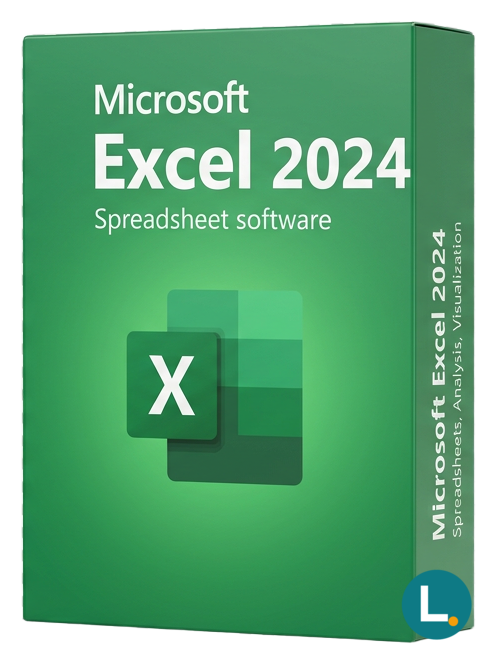
Microsoft Excel 2024 standalone spreadsheet license with one-time digital delivery, Lizensa invoice email, EU support, and clear activation instructions.
Licence key + activation guide for your OS language. PDF VAT invoice attached.
Every key is checked against the publisher’s activation servers before we send it.
Unused keys can be returned within 14 days under EU consumer law (Directive 2011/83/EU).
# Microsoft Excel 2024: buy Microsoft Excel 2024 key
Excel is still the everyday calculation engine for invoices, budgets, stock lists, pricing sheets, class plans, side projects, and small-company reporting. Many buyers do not need the whole Office suite and do not want a monthly Microsoft 365 plan just to edit spreadsheets. Microsoft Excel 2024 is the current standalone Excel release for people who want a one-time desktop app purchase with digital delivery, clear activation instructions, and an invoice they can keep with their records.
Lizensa positions this product for EU consumers, freelancers, home offices, students where licensing fits their use, and SMEs that need one spreadsheet application without a procurement maze. The offer is simple: buy Excel 2024, install the app, activate through the supplied route, and use the fixed Office 2024 generation within the delivered license scope. This is not a cloud productivity bundle, not a volume MAK pack, not a KMS host, not an OEM preinstall, and not a promise of unlimited transfer rights.
## What you get
You receive Microsoft Excel 2024 by digital delivery with activation instructions. This standalone app listing covers Excel only. It does not include Word, PowerPoint, Outlook, Access, Publisher, OneNote, Teams, Exchange, SharePoint, OneDrive storage, Intune, Defender, Copilot, tenant administration, or Microsoft 365 services. If you want several Office applications for the same user, compare [Microsoft Office 2024 Home & Business](/products/microsoft-office-2024-home-and-business-for-windows-mac), [Microsoft Office 2024 Professional Plus](/products/microsoft-office-2024-professional-plus), or the [Microsoft Office category](/categories/microsoft-office) before ordering.
Excel 2024 is best for buyers who live in workbooks: formulas, charts, tables, data imports, budgets, price lists, CSV cleanup, pivot tables, forecasts, household finance, classroom exercises, lightweight dashboards, and operational reporting. It suits a freelancer who sends cost sheets to clients, a shop that updates supplier price lists, a consultant who cleans exports, or a small company that wants a stable desktop spreadsheet tool without recurring payments.
This is a one-time standalone Office app purchase for the supplied activation scope. It is not the same as [Microsoft Excel 2021 MAK - 1000 Users](/products/microsoft-excel-2021-mak-1000-users), which is designed for a large controlled volume-style deployment. It is also different from [Microsoft 365 Business Premium](/products/microsoft-365-business-premium), where the value sits in cloud services, managed identity, Exchange, Teams, security controls, and ongoing subscription rights.
## What's new
Excel 2024 gives buyers the newest perpetual desktop baseline in this product family. It keeps the modern spreadsheet features that matter in daily work: dynamic arrays, XLOOKUP, XMATCH, LET, FILTER, SORT, UNIQUE, improved charting, workbook compatibility improvements, accessibility refinements, and a more current Office interface. These features make complex sheets easier to build and easier to explain to another person.
The main benefit is not novelty for its own sake. A current fixed version is useful when you want modern formulas and file compatibility without moving to a subscription. Families can manage household budgets and tax notes. Freelancers can prepare quotes and recurring reports. Small companies can standardise on one desktop app for workbooks, CSV exports, stock snapshots, and monthly figures. Excel 2024 is a clean choice when spreadsheet work is important but cloud tenant management is not.
Compared with Excel 2021, Excel 2024 is the newer perpetual generation. Compared with Microsoft 365 Apps, it is more predictable but does not receive the same continuously evolving cloud-connected feature stream. Compared with a full Office suite, it is narrower and cheaper in practical scope because it covers only one app. Those boundaries are helpful when you want to pay for exactly the tool you need.
## System requirements
| Component | Requirement | | --- | --- | | Operating system | Windows 10/11 or supported macOS route where supplied for this product | | Processor | 1.6 GHz or faster, 2-core processor | | Memory | 4 GB RAM recommended | | Storage | 4 GB available disk space on PC; more may be needed on Mac and for updates | | Display | 1280 x 768 or higher | | Internet | Required for download, activation, updates, and support checks | | Included app | Microsoft Excel 2024 only | | License model | One-time standalone Office app license; no Microsoft 365 subscription included |
Check the target computer before purchase. Confirm the operating system, available storage, Microsoft account route if required, existing Office installations, language needs, add-ins, macros, templates, and the workbook formats you use with clients or colleagues. If you rely on a specialist add-in, check its Office 2024 compatibility before changing your main work machine.
For business records, keep the Lizensa invoice, delivery email, activation date, and device or account notes together. That makes VAT records, expense claims, warranty questions, and later reinstall decisions easier.
If the purchase is for a shared workplace, decide the named user, account owner, and replacement process before activation. That short check prevents confusion when a laptop is replaced or a freelancer hands work back to the company.
## Comparison
| Option | Best fit | Watch out for | | --- | --- | --- | | Excel 2024 standalone | One buyer needs the current spreadsheet app | Excel only; no Word, Outlook, or cloud services | | Excel 2021 MAK - 1000 Users | Large controlled Excel 2021 deployment | Different activation and assignment model | | Office 2024 Home & Business | Word, Excel, PowerPoint, and Outlook for everyday use | Broader suite costs more than one app | | Microsoft 365 Business Premium | Cloud mail, Teams, OneDrive, identity, and security | Recurring subscription and admin work |
Buy Excel alone when spreadsheet work is the clear need. Buy a suite when the same person also needs documents, presentations, email, or database work. Buy Microsoft 365 when the organisation wants cloud collaboration, managed devices, identity policies, file sharing, and continuous updates. If you are unsure, browse [standalone Office apps](/categories/standalone-office-apps) and compare nearby products such as [Microsoft Word 2024](/products/microsoft-word-2024), [Microsoft PowerPoint 2024](/products/microsoft-powerpoint-2024), and [Microsoft Access 2024](/products/microsoft-access-2024).
Lizensa’s trust promise is deliberately practical: digital delivery, EU-oriented checkout, invoice by email, support through the storefront experience, and a 365-day activation guarantee for eligible activation issues. That guarantee helps when delivery or activation does not work as described; it does not add extra devices, unsupported transfer rights, future major versions, or Microsoft 365 cloud services.
## Install and activation
Activation is usually straightforward when the target device is ready. The most common problems come from old trial installations, mixed Office versions, wrong Microsoft accounts, blocked downloads, or trying to redeem the product on a device that is not the intended one. Read the Lizensa delivery email first and follow the steps in order.
1. Complete checkout on Lizensa and save the confirmation email. 2. Open the delivery email and read the product scope before redeeming or installing. 3. Confirm the operating system, storage, language, Microsoft account route, and existing Office status. 4. Remove conflicting trial or old Office installations if the instructions or support guidance require it. 5. Download through the supplied Microsoft-compatible route. 6. Install Excel 2024 and keep the installer open until setup finishes. 7. Open Excel, enter the key or sign in as instructed, and verify the activation status. 8. Install updates, then test a representative workbook, template, macro, or add-in.
For EU digital content, the 14-day withdrawal right can be affected when you request immediate delivery or begin activation. Statutory rights remain where the product is not supplied as described. Polish buyers should keep invoice and privacy records in a RODO-aware way.
## FAQ
### Is Microsoft Excel 2024 a subscription?
No. This is a one-time standalone Office app purchase for Excel 2024. It does not include recurring Microsoft 365 cloud rights.
### Does it include Word, PowerPoint, or Outlook?
No. Excel is the included app. Choose [Office 2024 Home & Business](/products/microsoft-office-2024-home-and-business-for-windows-mac) or [Office 2024 Professional Plus](/products/microsoft-office-2024-professional-plus) if you need a suite.
### Can I use it on Mac?
Use the platform scope supplied with the product and delivery instructions. Check macOS compatibility before ordering if your target device is a Mac.
### Do I need a Microsoft account?
Some activation routes require sign-in or redemption through a Microsoft account. Decide which account should own the activation before redeeming anything.
### Is this the same as Excel 2021?
No. Excel 2024 is the newer perpetual generation. Excel 2021 can still make sense for organisations that standardised on that older release.
### Is it suitable for a 1000-user rollout?
Usually no. For that scenario, compare [Microsoft Excel 2021 MAK - 1000 Users](/products/microsoft-excel-2021-mak-1000-users) or another volume-style product designed for controlled deployment.
### What if activation fails?
Follow the supplied instructions first. If activation still fails, contact Lizensa support with the order number, error message, screenshot, operating system, and the account or device used.
### What should I keep after purchase?
Keep the Lizensa invoice, delivery email, activation date, device or account notes, and support messages. Those records help with reinstall decisions and business accounting.
## Related products
- [Microsoft Excel 2021 MAK - 1000 Users](/products/microsoft-excel-2021-mak-1000-users) - [Microsoft Word 2024](/products/microsoft-word-2024) - [Microsoft PowerPoint 2024](/products/microsoft-powerpoint-2024) - [Microsoft Access 2024](/products/microsoft-access-2024) - [Microsoft Office 2024 Home & Business](/products/microsoft-office-2024-home-and-business-for-windows-mac) - [Microsoft Office 2024 Professional Plus](/products/microsoft-office-2024-professional-plus) - [Microsoft 365 Business Premium](/products/microsoft-365-business-premium) - [standalone Office apps category](/categories/standalone-office-apps)
Stripe / SEPA / iDEAL / Bancontact — every major EU payment method accepted.
We check your licence against the publisher’s activation servers in real time.
Licence + activation guide arrive in under 60 seconds. Average 43 seconds.
Follow the guide in your language. Done in under 2 minutes.
