Authorized by Microsoft · Audited monthly · 38,212 reviewsShips to UK + 27 EU countries · 41s median
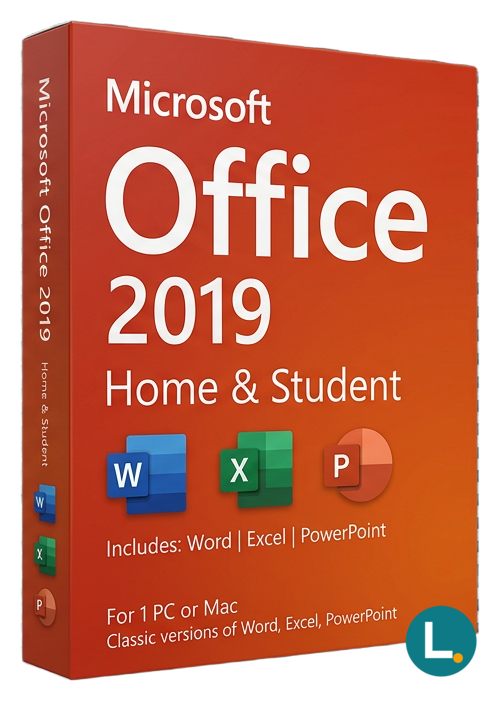
Perpetual Word Excel PowerPoint OneNote ohne Outlook Lizensa Omnibus Aktivierung
Licence key + activation guide for your OS language. PDF VAT invoice attached.
Every key is checked against the publisher’s activation servers before we send it.
Unused keys can be returned within 14 days under EU consumer law (Directive 2011/83/EU).
# Microsoft Office 2019 Home & Student for Windows — lean perpetual apps for homework, civic life, and desktop certainty
## Hook
The honest pitch is unglamorous: **Microsoft Office 2019 Home & Student for Windows** exists so you can run **Word**, **Excel**, **PowerPoint**, and **OneNote** on **Windows 10 or Windows 11** **without signing the household up for another quiet subscription**. It is the toolkit families, students, tutors, parish councils, youth sports treasurers, and weekend side projects reach for when margins matter and when "we only needed Word for six forms" keeps echoing from the kitchen office.
Lizensa speaks to **EU consumers and small teams** who need storefront language that survives inconvenient questions from a school IT coordinator, a volunteer treasurer, or a freelance bookkeeper: which applications ship, which services are **not** bundled, and what **perpetual** means while the internet shouts about "lifetime" keys. We aim for **Omnibus-friendly clarity**—what you pay should line up with what arrives—and support correspondence that respects **privacy expectations** when activation paths wobble.
Home & Student is intentionally narrow. It is **not** **Microsoft 365**. It is **not** a **MAK/KMS** volume pack for an operations desk. It is **not** **OEM** glue sold with a motherboard tale. It is **not** **Outlook-ready Home & Business**, and it is **not** the **Access** or **Publisher** track. If your week is mostly papers, teaching slides, club spreadsheets, and modest models, that smaller bundle is usually the **right** economics—you stop paying for icons you never open.
EU marketplaces still blur those lanes until a receipt cannot explain the purchase. Lizensa keeps the **Windows** story explicit: you are choosing the **2019 Home & Student** desktop set for **PC**, not hedging a redemption path meant for another platform or channel.
Retail marketplaces still tempt buyers with bundle photos that show every Office icon Microsoft has ever drawn. Lizensa keeps the Home & Student silhouette explicit: you are licensing four desktop applications plus OneNote for compatible Windows PCs, not inheriting a tenant console, not sneaking into volume keys, and not confusing this path with Apple editions or browser-only editing tiers that break footnotes the night before a submission.
Homework aside, civic treasurers also appreciate that Home & Student keeps macro scope small: fewer assistants to train, fewer mystery COM add-ins, and fewer panicked messages when a trustee opens a spreadsheet on a laptop that has not been rebuilt since the last election cycle—that predictability has real committee value.
## Lizensa framing for EU buyers who audit their own carts
Lizensa still sees confused receipts where **Home & Student** was marketed beside icons for Outlook, Teams, and OneDrive as if bundling were symmetric across every thumbnail. This addendum keeps the **Windows** Home & Student lane explicit: four desktop applications with activation assumptions typical of **retail perpetual** channels—not an accidental shortcut into tenant administration you never purchased.
Cross-check budgets the way a cautious SME buyer should: if Outlook belongs in someone’s weekly rhythm, stop saving euros here and open **[Home & Business](/products/microsoft-office-2019-home-business)** instead; if Apple kit enters the fleet, mirror comparisons against **[Home & Business for Mac](/products/microsoft-office-2019-home-business-mac)** rather than forcing Windows fulfilment into Boot Camp folklore.
When coursework suddenly demands Access `.accdb` submissions, acknowledge that **Home & Student** never promised relational tooling—walk straight to **[Professional Plus](/products/microsoft-office-2019-professional-plus)** documentation rather than improvising fragile CSV hacks that explode during grading week.
Finally, treat omnibus-adjacent storefront clarity as operational hygiene: VAT identifiers, redemption screenshots, and Lizensa order IDs belong in the same folder before anyone reinstalls Windows “just to see if it helps”—future inspectors rarely accept vibes as evidence.
## What you get
**Word 2019** still carries long coursework, CV refreshes, tenancy letters, council minutes, and multilingual paperwork where paragraph styles are not negotiable. **Excel 2019** handles membership dues, trip expense splits, simple cashflow sketches, and the `.xlsx` templates schools export without apology. **PowerPoint 2019** remains the shared language of "five minutes on Tuesday—please explain the budget." **OneNote 2019** corrals research fragments so a draft does not become a landfill of half-links.
What you **do not** receive is decisive for a clean order: **Outlook** desktop mail, **Access** relational workbooks, **Publisher** print workflows, **Teams** telco bundles, **Exchange** hosting, tenant admin consoles, or magically included **OneDrive** quotas tied to this licence story. Already know you need **Outlook**? Move to a **Home & Business** path such as [Microsoft Office 2019 Home Business](/products/microsoft-office-2019-home-business). If **Access** or **Publisher** is mandatory on the same PC, review [Microsoft Office 2019 Professional Plus](/products/microsoft-office-2019-professional-plus) or device-scoped [Microsoft Office 2019 Professional OEM for Windows](/products/microsoft-office-2019-professional-oem-for-windows) after reading hardware-bound terms. Want a fresher perpetual snapshot? Compare [Microsoft Office 2021 Home and Student for Windows](/products/microsoft-office-2021-home-and-student-for-windows) and the cross-environment [Microsoft Office 2024 Home and Student for Windows Mac](/products/microsoft-office-2024-home-and-student-for-windows-mac). Still browsing? Open the [Office suites category](/categories/office-2024) before you commit.
### Why Lizensa for a low-drama purchase
Lizensa focuses on **straight EU retail storytelling**: readable boundaries, **digital fulfilment** after standard checks, **invoice-grade** emails, and pragmatic help when redemption screens differ from five-year-old forum GIFs. Microsoft’s rules for your specific key or account bind still apply; Lizensa cannot invent hosted services absent from the entitlement text—but we **can** shrink the "I bought the wrong silhouette" tax.
## What is new in Office 2019 if you upgrade rarely
Office **2019** is a deliberate snapshot versus **2016**. **Excel 2019** added everyday functions many curricula now assume—**TEXTJOIN**, **CONCAT**, **IFS**, **SWITCH**, **MAXIFS**, **MINIFS**—plus visuals such as funnel and map charts when data is eligible. **PowerPoint 2019** brought **Morph** motion, Zoom-style story navigation, SVG support, and stronger media handling including **4K** export where hardware allows. **Word 2019** improved focus mode, accessibility tooling, translation assists, and inking for hybrid note takers.
Choosing **2019** in **2026** is often a **calendar and paperwork** decision. Grant annexes, internal training PDFs, and club bylaws sometimes reference a fixed generation. **Perpetual** licensing also sidesteps subscription renewal collisions with cards that sleep half the year—common in cross-border households. If you want newer defaults, walk the honest upgrade path through [Microsoft Office 2021 Home and Student for Windows](/products/microsoft-office-2021-home-and-student-for-windows) before you treat **2019** as "too old" for real work.
There is a real tension between **feature velocity** and **predictability**. Cloud channels chase the latest toggles; **2019** keeps a steadier desktop baseline while Microsoft continues security and reliability servicing for that generation—note support timelines and plan migrations before sunsets sneak up.
Collaborators may send **.docx**, **.xlsx**, and **.pptx** from newer suites. **2019** opens mainstream files confidently. If you depend on workbook functions introduced only in later perpetual releases, verify parity before a graded project or a regulated filing—rare for typical coursework, essential for heavy finance labs.
## System requirements
| Item | Guidance | | --- | --- | | Operating system | Windows 10 or Windows 11 (64-bit typical) | | Processor | 1.6 GHz dual-core class or better | | Memory | 4 GB minimum; 8 GB helps large Excel models | | Storage | ~4 GB for Office plus documents | | Display | 1280 × 768 or higher | | Connectivity | Internet for download, activation, and updates | | Apps in bundle | Word, Excel, PowerPoint, OneNote | | Licensing shape | **Perpetual** Home & Student on **Windows** (not subscription) |
Clear **trial installs** and ancient side-by-side Office builds **before** redeeming—most "invalid key" theatre is installer archaeology, not mathematics.
## Comparison: choose the channel that matches behaviour
| Track | Outlook? | Typical signal | | --- | --- | --- | | **Home & Student 2019 (Windows)** | No | Study-first PC, tight budget, no desktop mail | | **Home & Business** (platform-specific SKUs) | Usually yes | Freelancers living in desktop mail | | **Professional / Professional Plus / OEM** | Often yes | Access, Publisher, or device-bound OEM rules |
Stay on Home & Student when documents and worksheets dominate. Graduate when **Outlook**, **Access**, or **Publisher** becomes weekly work—not after wasting hours on unsafe workarounds.
## Install, activate, keep Lizensa-grade records
1. Archive checkout mail and **PDF invoices** next to the PC asset note you will still recognise in two years. 2. Read fulfilment instructions **before** spinning throwaway Microsoft identities. 3. Confirm **Windows** version and architecture; uninstall **trial Office** that fights setup. 4. Download only through the **authorised redemption route** in your delivery mail—ignore unofficial mirrors. 5. Install the suite, open **Word** or **Excel**, finish activation, **then** apply updates. 6. Capture a screenshot or export of success with timestamp and Windows build—future you will thank present you. 7. On shared PCs, log **who redeemed which entitlement**; blended accounts cause holiday-week nightmares. 8. If errors appear, copy text verbatim and stop before hopping accounts randomly—support resolves documented trails faster.
EU shoppers retain **conformity** protections when digital goods differ materially from what was sold—keep proof bundles orderly even when instant delivery feels casual.
## FAQ
### Is this the same as Microsoft 365?
**No.** This product path is **perpetual Home & Student** for the described Windows desktop bundle, not a recurring Microsoft 365 subscription from this SKU.
### Which apps are definitely included?
**Word, Excel, PowerPoint, and OneNote** for eligible **Windows** Home & Student activations per your order text.
### Can I use Outlook desktop here?
**No.** Desktop mail belongs in editions that explicitly include **Outlook**, such as **[Home & Business](/products/microsoft-office-2019-home-business)**-class listings.
### Is this OEM licensing?
This description follows **retail-style Home & Student** fulfilment for compatible PCs. **OEM** listings carry different transfer assumptions—do not interchange casually.
### Does it run on macOS?
**No.** Choose a **Mac-specific** Office listing if Apple hardware is the target.
### Do Teams, Copilot, or hosted mail come bundled?
**No.** Those depend on separate services or Microsoft 365 plans outside this perpetual bundle.
### How do I receive the licence details?
After payment and verification you normally get **email instructions**—watch spam folders and use a durable mailbox.
### Can I move the licence after replacing hardware?
**Maybe—transfer rights depend on channel and activation history.** Uninstall carefully, keep invoices, and contact Lizensa with specifics instead of guessing.
## Related products
- [Microsoft Office 2019 Home Business](/products/microsoft-office-2019-home-business) - [Microsoft Office 2021 Home and Student for Windows](/products/microsoft-office-2021-home-and-student-for-windows) - [Microsoft Office 2024 Home and Student for Windows Mac](/products/microsoft-office-2024-home-and-student-for-windows-mac) - [Microsoft Office 2019 Professional OEM for Windows](/products/microsoft-office-2019-professional-oem-for-windows) - [Microsoft Office 2019 Professional Plus](/products/microsoft-office-2019-professional-plus) - [Office suites category](/categories/office-2024)
Stripe / SEPA / iDEAL / Bancontact — every major EU payment method accepted.
We check your licence against the publisher’s activation servers in real time.
Licence + activation guide arrive in under 60 seconds. Average 43 seconds.
Follow the guide in your language. Done in under 2 minutes.
