Authorized by Microsoft · Audited monthly · 38,212 reviewsShips to UK + 27 EU countries · 41s median
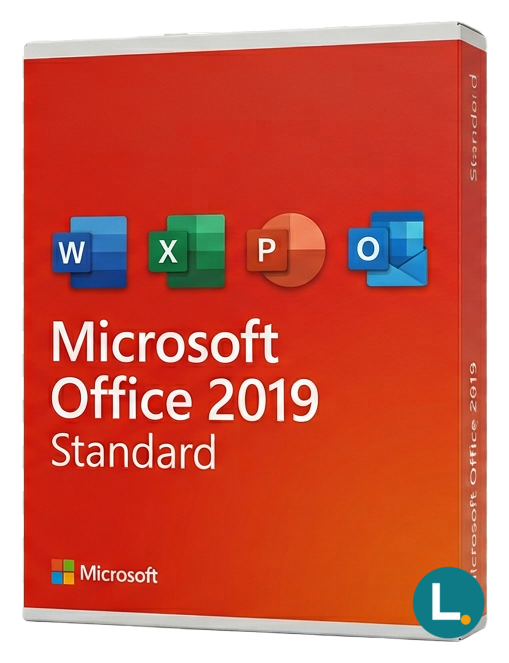
Perpetual Word–Publisher Windows suite (2019). Lizensa: EU clarity.
Licence key + activation guide for your OS language. PDF VAT invoice attached.
Every key is checked against the publisher’s activation servers before we send it.
Unused keys can be returned within 14 days under EU consumer law (Directive 2011/83/EU).
# Microsoft Office 2019 Standard for Windows — steady desktop productivity without the subscription treadmill
Many EU households and small teams do not want another monthly bill for software they use in predictable ways. Microsoft Office 2019 Standard sits in a sensible middle ground: it is a one-time desktop suite for Windows with the core business apps plus Publisher, while skipping the database tooling that only some organisations need. If you live in Word and Excel, rely on Outlook for work mail, occasionally design a simple leaflet in Publisher, and want OneNote for planning, this edition can be easier to justify than jumping straight to the largest Office bundle or a cloud subscription you will not fully use.
Lizensa focuses on clarity before you pay. You should know which apps are included, which apps are not, and what “one-time” means in everyday language. Office 2019 Standard is not Microsoft 365. It does not ship OneDrive storage, Teams, Copilot, or a multi-device subscription entitlement. It is classic Office for a Windows PC, delivered digitally with straightforward activation guidance. When you need Access for legacy databases or advanced reporting scenarios, compare this listing with [Office 2019 Professional Plus](/products/microsoft-office-2019-professional-plus) before you checkout.
## What you get
Office 2019 Standard for Windows includes Word, Excel, PowerPoint, Outlook, Publisher, and OneNote for the activation scope described with your order. Word remains the everyday workhorse for letters, quotations, formatted reports, and client-facing documents. Excel supports budgets, inventories, exports from shop or accounting tools, payroll helpers, and PivotTable workflows that many SMEs already depend on. PowerPoint covers training decks, sales slides, and simple visual storytelling without needing the newest animation stack from later releases.
Outlook gives a full desktop mail, calendar, and contacts experience for people who prefer a local profile and predictable offline behaviour, compared with living entirely in a browser. Publisher is the practical differentiator against Home editions: it is useful for vouchers, labels, simple posters, menus, and other print-first layouts that are awkward in Word alone. OneNote supports planning, meeting notes, and research snippets alongside the traditional Office apps.
**Not included:** Access is not part of Standard. If opening `.accdb` files or maintaining departmental databases matters, Professional Plus is the usual match. Standard also does not include subscription-style cloud entitlement or Teams. If you expected Microsoft 365 family sharing or browser-only apps as the primary licence, reconsider before buying—[Microsoft 365 Business Premium](/products/microsoft-365-business-premium) addresses a different, cloud-first scenario.
This product should be understood as a one-time licence for documented use, not as volume MAK/KMS infrastructure, OEM preinstall recovery, or a classroom site licence. Read your delivery email carefully: the activation route and device scope are what protect you from surprises after payment.
## What is new in Office 2019 (and why buyers still pick it)
Office 2019 brought a wave of improvements that had already proven themselves in the subscription channel into a fixed perpetual release. Excel 2019 adds functions such as CONCAT, TEXTJOIN, IFS, SWITCH, MAXIFS, and MINIFS, plus chart types including funnel charts and map charts that help readers see patterns quickly. PowerPoint improvements include Morph and Zoom navigation, stronger SVG handling, and better support for pen-based markup. Word and Outlook received focused-inbox style refinements and accessibility improvements while keeping the familiar ribbon workflow.
Buyers still choose 2019 when predictability beats novelty. Templates, macro-enabled workbooks, add-ins, and internal training screenshots often assume a specific Office generation. Newer perpetual releases such as [Office 2021 Standard](/products/microsoft-office-2021-standard) or later lines can be smarter long-term purchases when you need modern Excel dynamic arrays, but they also move the goalposts for compatibility testing. If your files and habits already align with 2019, upgrading “just because” can create avoidable friction.
Use 2019 Standard when you want Publisher on Windows without paying for the full Professional Plus stack. Use Professional Plus when Access or the complete high-end desktop bundle is non‑negotiable. Use [Office 2019 Home & Business](/products/microsoft-office-2019-home-business) when you need Outlook for a smaller app mix without Publisher. The point is to match the licence to the software you actually open every Monday morning.
## System requirements
| Item | Detail | | --- | --- | | Operating system | Windows 10 or Windows 11 where supported by Microsoft Office 2019 servicing | | Processor | 1.6 GHz or faster, two-core processor (typical modern PC) | | Memory | 4 GB RAM or more recommended for comfortable Excel and Outlook together | | Storage | At least 4 GB free disk space for installation and updates | | Display | 1280 × 768 resolution | | Graphics | Hardware acceleration optional; DirectX 9 or later recommended where applicable | | Internet | Required for download, activation, and receiving security updates | | Included apps | Word, Excel, PowerPoint, Outlook, Publisher, OneNote | | Not included | Access, Microsoft 365 cloud services, Teams client entitlement |
Always confirm your exact Windows build and any device-management policies before redeeming a key. Organisations with strict security baselines may require admin approval even for desktop Office.
## Comparison: Standard vs Home & Business vs Professional Plus vs subscription
| Scenario | Practical choice | | --- | --- | | Windows PC, need Publisher, no Access | **Office 2019 Standard** | | Windows PC, need Outlook, no Publisher | [Office 2019 Home & Business](/products/microsoft-office-2019-home-business) | | Windows PC, need Access and Publisher | [Office 2019 Professional Plus](/products/microsoft-office-2019-professional-plus) | | Mac workstation | See [Office 2019 Standard for Mac](/products/microsoft-office-2019-standard-mac) — app mix differs | | Multiple devices, cloud storage, Teams | A Microsoft 365 plan, not this one-time SKU | | Lowest cost, students only | Compare [Office 2019 Home & Student](/products/microsoft-office-2019-home-student) feature list |
Office 2019 is not “worse”; it is fixed. Subscriptions rotate features and quotas. Perpetual 2019 receives security updates appropriate to the product generation, but you should not expect the newest Excel calculation engine from 2021 or 2024. If colleagues send spreadsheets that rely on XLOOKUP or dynamic arrays, test in advance or choose a newer perpetual release.
Browse the broader catalogue from the [Microsoft Office category hub](/categories/microsoft-office) once you know your must-have apps. Lizensa product pages emphasise licence scope rather than hype so you can shortlist responsibly.
## Installation and activation
**Before you start:** photograph or save your order confirmation, print or archive the invoice email, and decide which physical PC will carry the licence. Mixing redemption between personal Microsoft accounts causes many avoidable support cases.
1. Finish checkout on Lizensa and wait for the delivery email with the product key or redemption link. 2. Compare the email’s product name with this page; confirm you are on Windows, not macOS. 3. Uninstall conflicting trial Office builds if instructed by Microsoft’s setup assistant. 4. Download the official installer associated with your licence channel and run it elevated if your policy requires admin rights. 5. When prompted, enter the key or sign in exactly as described in your delivery instructions—different channels use different wording. 6. Open Word and Excel after installation, verify “Activation successful” or equivalent status, then run Office updates before opening mission-critical files. 7. Store the invoice, key (if applicable), and activation confirmation together for accounting, warranty, and future reinstalls.
EU consumers and many SME buyers benefit from clear information before digital delivery. For digital content, statutory withdrawal rights can be limited once immediate delivery starts or once you begin activation—your checkout flow should surface that transparently. You still retain legal warranty rights if the product is not as described or cannot be activated as supplied. Lizensa processes personal data for orders and invoices in line with **GDPR** expectations: you can request access or correction through customer support.
## Why buy on Lizensa
Lizensa is aimed at buyers who want an EU-minded storefront, fast email delivery for eligible orders, and support that understands everyday activation issues—not forum guesswork. Pricing is presented with honest context under EU Omnibus-style expectations: a discount should mean something real against recent price history, not artificial countdown pressure.
You should expect practical trust signals: clear refund and support rules for activation failures within the stated guarantee window, documentation you can forward to your accountant, and guidance that respects both consumer and small-business buyers. If something fails, capture the exact error text, the step where it appeared, and your order reference; that combination resolves most cases faster than random re-installs.
## FAQ
### Does Office 2019 Standard include Microsoft 365?
No. This is a one-time Office 2019 licence for Windows. It does not include Microsoft 365 cloud services, Teams, Copilot, or subscription storage.
### Is Access included?
No. Access is part of [Office 2019 Professional Plus](/products/microsoft-office-2019-professional-plus), not Standard.
### Can I install on both my laptop and desktop?
Only if your specific licence explicitly allows multiple installations. Assume a single PC unless the product page and delivery email state otherwise.
### Will Office 2019 open files from newer Office versions?
Most everyday documents open normally. Files that rely on newer Excel features may show compatibility warnings or calculation differences—validate important workbooks before committing to 2019.
### Is Publisher really useful for small businesses?
Yes, for lightweight print layouts—flyers, coupons, menus, signage—Publisher is often faster than forcing Word into a design tool.
### Do I still get security updates?
You receive servicing updates appropriate to Office 2019 while Microsoft supports that generation. You do not receive the next major Office version as part of this purchase.
### What if activation fails?
Contact Lizensa support with your order ID, screenshot or verbatim error, and describe the redemption step. Follow one support path rather than stacking conflicting forum tips.
### How is this different from Home & Student?
Home & Student omits Outlook and Publisher. Standard adds both, which matters for desktop mail and simple marketing collateral.
## Related products
- [Office 2019 Professional Plus](/products/microsoft-office-2019-professional-plus) - [Office 2019 Home & Business](/products/microsoft-office-2019-home-business) - [Office 2019 Home & Student](/products/microsoft-office-2019-home-student) - [Office 2019 Standard for Mac](/products/microsoft-office-2019-standard-mac) - [Office 2021 Standard](/products/microsoft-office-2021-standard)
Stripe / SEPA / iDEAL / Bancontact — every major EU payment method accepted.
We check your licence against the publisher’s activation servers in real time.
Licence + activation guide arrive in under 60 seconds. Average 43 seconds.
Follow the guide in your language. Done in under 2 minutes.
