Authorized by Microsoft · Audited monthly · 38,212 reviewsShips to UK + 27 EU countries · 41s median
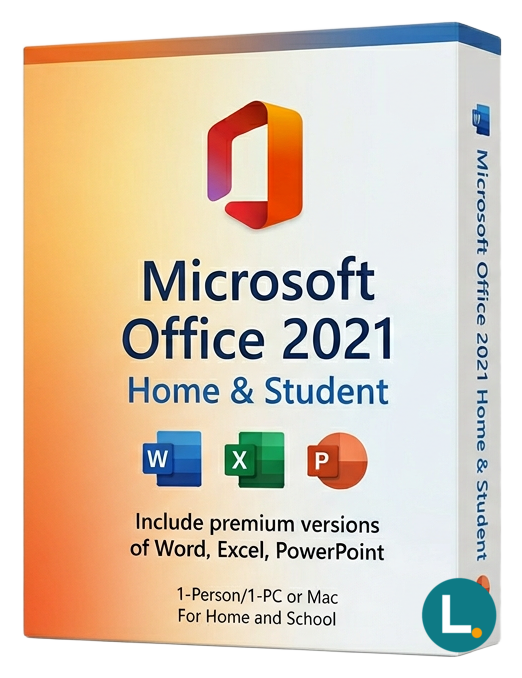
One-time Office 2021 Home & Student for Windows—Word, Excel, PowerPoint, OneNote without Outlook. Lizensa digital fulfilment, EU support, perpetual licence.
Licence key + activation guide for your OS language. PDF VAT invoice attached.
Every key is checked against the publisher’s activation servers before we send it.
Unused keys can be returned within 14 days under EU consumer law (Directive 2011/83/EU).
# Microsoft Office 2021 Home & Student for Windows: core desktop apps without the subscription noise
Households, students, and side-project desks often share one Windows PC that simply needs trustworthy Office files—homework that opens at school, a volunteer budget that survives treasurer handover, or a freelance quote template that still prints cleanly. **Microsoft Office 2021 Home & Student for Windows** is the “narrow on purpose” lane: **Word**, **Excel**, **PowerPoint**, and **OneNote** as **one-time desktop apps**, without renting the broader Microsoft cloud bundle every month. Lizensa writes for EU shoppers and tiny businesses who want the perimeter drawn honestly: which apps arrive, which services stay outside the license, and how digital delivery should feel when you just need software that works on Windows 10 or Windows 11.
This SKU is a **perpetual Home & Student license for Windows**. It is **not** Microsoft 365, **not** a MAK volume agreement, **not** KMS host licensing, **not** an OEM factory image promise, and **not** a professional suite that quietly adds Outlook, Access, or Publisher. It also does not ship Teams mailboxes, hosted Exchange, Intune, Defender for Business, or bundled OneDrive entitlements. Lizensa’s storefront goal is **readable scope**, **invoice-friendly email delivery**, and **activation guidance** when the redemption email looks technical—without pretending a perpetual student bundle magically becomes an enterprise tenant.
### Why Lizensa works for cautious buyers
Across the EU, small purchasers still ask the same questions: *Will this match my receipt? Can I prove what I bought? What if activation fails on a busy Monday?* Lizensa focuses on **plain listings**, **post-payment digital delivery after routine checks**, and **support you can reference against your order number**. Treat invoices and mailbox access with the same care you would for any software purchase. You still follow Microsoft’s activation rules for the specific key or account redemption supplied.
If you are comparing editions, open [Microsoft Office 2021 Home and Business for Windows Mac](/products/microsoft-office-2021-home-and-business-for-windows-mac) when **Outlook** enters the picture, review [Microsoft Office 2024 Home and Student for Windows Mac](/products/microsoft-office-2024-home-and-student-for-windows-mac) for a newer fixed generation, glance at [Microsoft Office 2019 Home and Student for Windows](/products/microsoft-office-2019-home-and-student-for-windows) when budgets are tighter, explore [Microsoft Office 2021 Home and Business for Mac](/products/microsoft-office-2021-home-and-business-for-mac) if your household is Mac-first, and scan the [Office suites category](/categories/office-2024) before you commit.
## What you get
You receive **Word 2021**, **Excel 2021**, **PowerPoint 2021**, and **OneNote** for Windows. That bundle still matches an enormous slice of real-world work: coursework, flat inventories, committee minutes, résumés, lesson plans, hobby bookkeeping, and the occasional presentation that must not embarrass you on a classroom projector.
- **Word** keeps long-form writing predictable when teachers, lawyers, or clients expect polished `.docx` files. - **Excel** handles schedules, club dues, small cashflow sheets, CSV tidy-up, and study datasets—especially when newer formulas save you from brittle legacy tricks. - **PowerPoint** remains the universal slide format for briefings that must open anywhere. - **OneNote** collects research snippets, draft bullet lists, and meeting capture without polluting formal documents.
What you **do not** receive is equally important. **Outlook** desktop mail is **not** included. **Access** databases and **Publisher** layouts are **not** included. If your workflow depends on desktop Outlook, step up to a Home & Business class product that lists Outlook explicitly. If you need Access or Publisher, consider a Professional track such as [Microsoft Office 2021 Professional Plus](/products/microsoft-office-2021-professional-plus) and read transfer assumptions carefully—do not buy Home & Student and hope to unlock pro apps later.
Think of licensing as **one activated Windows context within the redemption rules** supplied with your order. Keep the Lizensa invoice, delivery email, product name, activation date, Windows build, and hardware notes together—support teams resolve cases faster when evidence is already organised.
## What’s new in Office 2021 for everyday Windows users
Office 2021 is the balanced upgrade when **Office 2016/2019** feels sluggish with modern files but you are not ready for continuous cloud channels. **Excel 2021** adds **XLOOKUP**, **XMATCH**, **LET**, and **dynamic arrays** (`FILTER`, `SORT`, `UNIQUE`)—the sort of quality-of-life tooling that shows up the moment a treasurer inherits a messy membership workbook. **PowerPoint** improves recording workflows, media handling, SVG support, and ink replay for instructors. **Word** tightens commenting and collaboration experiences when files live in shared locations. **OneNote** remains the fast capture layer next to formal documents.
Psychologically, fixed releases matter to people who dislike surprise UI shifts during exam season or tax month. A perpetual 2021 install receives servicing updates appropriate to that lifecycle, but the **feature era stays anchored to 2021**, which is what many households want: predictable menus, stable screenshots in training PDFs, and fewer “why did this button move?” moments compared with evergreen channels.
## System requirements
| Item | Guidance | | --- | --- | | Operating system | Windows 10 or Windows 11 (64-bit typical) | | Processor | 1.6 GHz or faster, dual-core recommended | | Memory | 4 GB RAM minimum; 8 GB helps heavier Excel files | | Storage | About 4 GB free for Office plus headroom for documents | | Display | 1280 × 768 or higher | | Internet | Required for download, activation, and updates | | Included apps | Word, Excel, PowerPoint, OneNote | | License model | One-time perpetual Home & Student for Windows |
Confirm administrator rights, remove conflicting **Office trials** when installers complain, and verify Windows activation before you invest time in redemption. If the device is a **Mac**, stop—this SKU is for **Windows** only.
## Comparison: pick the lane that matches your desk
| Option | Best when… | Watch out if… | | --- | --- | --- | | **Home & Student 2021** | You only need documents, spreadsheets, slides, and notes | You rely on desktop Outlook or Access | | **Home & Business** | Outlook is part of your daily rhythm | You still need Publisher/Access—look higher | | **Professional Plus** | You need the full Windows pro toolkit | You only needed Word—overbuying hurts | | **Microsoft 365** | You want hosted mail, cloud storage, admin tools | You dislike subscriptions |
Lizensa tries to surface those forks **before** payment so EU consumers and micro-entities do not pay for software they will never launch. The upside of Home & Student is discipline: you match spend to the narrow toolset you actually open weekly.
**File compatibility** is another quiet reason people standardise on a fixed Office generation. Classmates share `.docx` coursework, clubs circulate `.xlsx` rosters, and municipalities still email forms that expect a real desktop editor. Office 2021 opens those modern formats reliably for daily work while avoiding the feature churn that can disrupt study timetables or volunteer training materials. If you collaborate on cutting-edge workbook functions that only appear in newer perpetual releases, sanity-check formulas with whoever sends the file—but that edge case is uncommon in typical school and household contexts.
Keeping **one** well-documented Office generation on a shared family PC also reduces weekend support calls: everyone learns the same ribbon, the same export shortcuts, and the same “save as PDF” rhythm.
## Install and activation on Windows
1. Complete checkout and keep your **Lizensa confirmation email**. 2. Read the **delivery message** end-to-end; activation may be product-key entry or Microsoft account redemption. 3. Confirm **Windows edition**, **language pack needs**, and **target PC** before starting. 4. Uninstall or repair conflicting **Office trials** if setup reports overlaps. 5. Download only through the **Microsoft-compatible** route referenced in your instructions. 6. Install Word, Excel, PowerPoint, and OneNote. 7. Launch Word or Excel, finish activation when prompted, and verify status in **Account** settings. 8. Apply updates, reboot if required, then migrate important files deliberately—not mid-install. 9. Archive invoice, delivery text, and screenshots of successful activation.
If errors appear, record **exact wording**, **Office build**, and **order ID**, then contact Lizensa **before** trying random keys or hopping between personal and work Microsoft accounts—those moves often create entitlement conflicts that take longer to unwind.
## FAQ
### Is this Microsoft 365?
**No.** It is **Office 2021 Home & Student** as a **one-time perpetual** license for Windows, not a subscription tenant.
### Which apps are included?
**Word, Excel, PowerPoint, and OneNote** for Windows in this edition’s scope.
### Does it include Outlook?
**No.** Choose a **Home & Business** listing if desktop Outlook is required.
### Can I activate on macOS?
**No.** This path targets **Windows** PCs. Mac households need a Mac edition or a different plan.
### Is this a volume MAK license?
**No.** Home & Student is consumer/small-scope retail-style licensing, not enterprise MAK/KMS deployment.
### Will I get Teams or Copilot automatically?
**No.** Those capabilities depend on separate eligible services or add-ons.
### How does digital delivery work?
After payment and standard checks, Lizensa emails **redemption guidance**—use a stable mailbox and check spam filters.
### Can I transfer the license to a new PC?
**Transfer rules depend on the redemption channel and Microsoft account history.** Keep uninstall proof and invoices; ask Lizensa rather than assuming unlimited portability.
## Related products
- [Microsoft Office 2021 Home and Business for Windows Mac](/products/microsoft-office-2021-home-and-business-for-windows-mac) - [Microsoft Office 2024 Home and Student for Windows Mac](/products/microsoft-office-2024-home-and-student-for-windows-mac) - [Microsoft Office 2019 Home and Student for Windows](/products/microsoft-office-2019-home-and-student-for-windows) - [Microsoft Office 2021 Professional Plus](/products/microsoft-office-2021-professional-plus) - [Explore Office suites](/categories/office-2024)
Stripe / SEPA / iDEAL / Bancontact — every major EU payment method accepted.
We check your licence against the publisher’s activation servers in real time.
Licence + activation guide arrive in under 60 seconds. Average 43 seconds.
Follow the guide in your language. Done in under 2 minutes.
