Authorized by Microsoft · Audited monthly · 38,212 reviewsShips to UK + 27 EU countries · 41s median
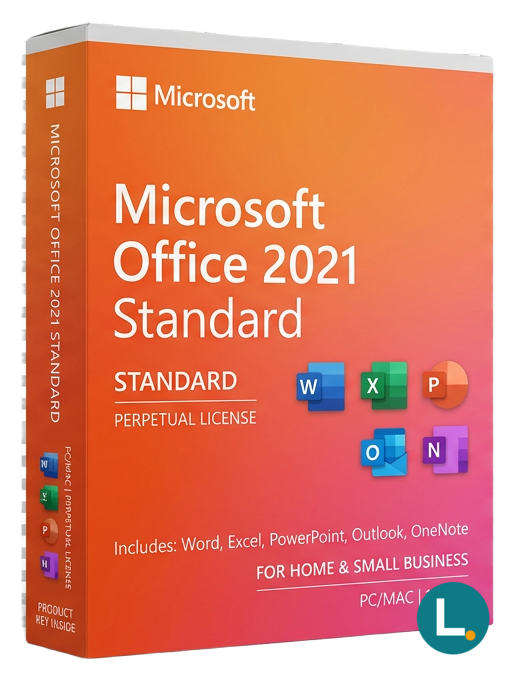
Perpetual Office 2021 Standard for Windows—Word, Excel, PowerPoint, Outlook, Publisher, OneNote. Lizensa digital delivery, EU clarity, not Microsoft 365.
Licence key + activation guide for your OS language. PDF VAT invoice attached.
Every key is checked against the publisher’s activation servers before we send it.
Unused keys can be returned within 14 days under EU consumer law (Directive 2011/83/EU).
# Microsoft Office 2021 Standard — a clear perpetual suite for Windows workstations
**Microsoft Office 2021 Standard** is the **retail-style perpetual Office suite for Windows** that keeps Word, Excel, PowerPoint, Outlook, **Publisher**, and OneNote on the same invoice—without smuggling a **Microsoft 365 subscription** into a “one-time” story. Lizensa speaks to **EU households, freelancers, clubs, and small businesses** who want predictable desktop software: pay once for the documented edition, receive digital fulfilment you can archive, and activate with steps that match the paperwork—not a vague marketplace listing that confuses FPP, MAK, and LTSC.
Standard sits between lighter Home SKUs and **Professional Plus**: you get **Publisher** for newsletters, signage, and light marketing layouts when you do not live inside InDesign, but you **do not** get **Access** as part of this edition line. If relational databases or Power Platform glue is unavoidable, compare **[Microsoft Office 2021 Professional Plus](/products/microsoft-office-2021-professional-plus)** before checkout. If you only need core apps without Publisher, **[Microsoft Office 2021 Home & Business](/products/microsoft-office-2021-home-business)** may spend budget more honestly. Anyone standardising the newest perpetual generation should open **[Microsoft Office 2024 Standard](/products/microsoft-office-2024-standard)** in parallel. The full map of suites lives under **[Microsoft Office](/categories/microsoft-office)** so you can compare years and editions without guessing from screenshots alone.
Lizensa’s role is practical trust: readable copy, invoices your accountant recognises, privacy handling aligned with **EU data-protection expectations** for shopper correspondence, and activation help framed in ordinary language when Microsoft’s installers complain mid-project. We do not replace Microsoft’s licence terms, and we do not promise redistribution rights your delivery never granted.
This page is **not** Microsoft 365 with cloud mailboxes, **not** Teams tenant administration, **not** a MAK/KMS volume programme unless explicitly stated elsewhere, **not** Mac software, and **not** an OEM recovery image tied to a specific laptop SKU. Match the human-readable title on your order to the redemption screen before accepting “helpful” installer defaults that stack duplicate suites.
Clubs, cooperatives, and micro-manufacturers often underestimate how quickly one **Publisher** template becomes the official newsletter spine: suddenly five volunteers rely on the same `.pub` masters, and losing the licence mid-season becomes a governance problem, not just IT trivia. Buying Standard deliberately—rather than borrowing a laptop with an unknown Office lineage—keeps charitable trustees and managing partners aligned on **who owns** the activation story. Seasonal retailers doing pop-up budgets likewise benefit when a single perpetual line item covers the Windows back-office PC without tacking on subscription approvals they will forget to cancel.
## What you get
You receive **digital delivery** for **Office 2021 Standard for Windows**: Word for documents and templates your firm actually reuses, Excel with **XLOOKUP**, dynamic arrays, and **LET**—the 2021-era spreadsheet toolkit many SMEs still prefer over risky macro migrations, PowerPoint for board layouts and training decks, Outlook for mailbox and calendar discipline, Publisher for structured desktop publishing within Office’s supported limits, and OneNote for research and meeting notes that tolerate informal structure.
Standard’s value proposition is breadth without every **Professional Plus** extra. Teams that never needed Access sometimes paid for it because catalogue names looked “more complete.” Reversing that pattern—buying Standard when Publisher matters but Access does not—keeps licence audits aligned with installed apps.
You do **not** automatically receive **OneDrive for Business** storage policy, **Exchange Online** hosting, **SharePoint** sites, **Intune** packaging, **Defender for Office 365**, or **Copilot** seats. If your security baseline assumes conditional access and cloud-backed identities, evaluate **[Microsoft 365 Business Premium](/products/microsoft-365-business-premium)** honestly alongside perpetual Office.
Consultants packaging fixed-fee deliverables sometimes prefer perpetual Office on a **single sanctioned laptop** so client environments never inherit mysterious plugins from a roaming subscription trial. Non-profits juggling donated hardware still owe **truthful licence declarations** in audits—Standard gives a narrow, defensible bundle if Access and Teams admin are genuinely absent from your workflow narrative.
Archive **order confirmation**, **fulfilment email**, **product key or account redemption trail**, **device hostname**, and **activation timestamp** in one folder. EU consumer rules still apply to defective delivery; immediate fulfilment you requested can interact with withdrawal rights—read the checkout notices and keep screenshots of errors verbatim.
## What is new — and why 2021 still shows up in 2026
Office 2021 is not the subscription channel that updates every month; buyers choose it when **feature stability**, **offline assumptions**, or **procurement simplicity** beat perpetual “new.” Excel’s dynamic-array family and **XLOOKUP** matter to finance and ops teams who haunted obsolete `VLOOKUP` patterns. Outlook’s threading and search habits refined in the 2019→2021 window still feel familiar to staff trained on screenshots from internal manuals.
Organisations comparing **2021** against **2024** editions should open **[Microsoft Office 2024 Standard](/products/microsoft-office-2024-standard)** and decide whether newer spreadsheet functions, refreshed UI polish, or extended support horizons justify a higher sticker price. Some municipalities stay one generation behind deliberately—matching training videos, certified add-ins, or hardware refresh cycles.
## System requirements
| Area | Guidance | | --- | --- | | Operating system | Windows editions Microsoft documents for Office 2021 at install time | | Processor | Modern dual-core or better for responsive Excel and Outlook | | Memory | **4 GB** minimum; **8 GB** recommended for large workbooks and meetings | | Storage | SSD preferred; budget space for updates and template libraries | | Display | **1280 × 800** or higher for comfortable ribbon layouts | | Networking | Internet for download, activation, and update channels you enable | | Included apps | Word, Excel, PowerPoint, Outlook, Publisher, OneNote (Windows) | | Not included | Access, cloud subscription services, volume MAK/KMS route by default |
Mixed bitness or side-by-side Office generations on one PC invite repair prompts—pilot on a disposable image if you still run ancient COM add-ins.
## Comparison
| Option | Choose when | Pause if | | --- | --- | --- | | **Office 2021 Standard** | You want Publisher plus core apps on Windows under perpetual economics | You truly need Access or advanced Pro Plus packaging | | **Home & Business 2021** | Outlook plus essentials without Publisher fits better | Publisher is non-negotiable for your templates | | **Office 2021 Professional Plus** | Access, richer SKU packaging, or internal standards demand it | Budget is tight and unused apps would bloat audits | | **Microsoft 365** | Identity-driven licensing and cloud services are the real product | You want offline-first, fixed-generation behaviour |
Price alone should not win—**installed footprint and compliance** should.
University spin-outs and maker labs occasionally stretch Office across shared PCs; even then, treat each activation as **accountable**: name the researcher, the grant line, and the wipe date on a sticky spreadsheet so handovers do not become forensic exercises.
## Install and activation
1. Complete Lizensa checkout; PDF-archive the confirmation and VAT details if applicable. 2. Read fulfilment end-to-end—note single-PC versus transferable language **as delivered**. 3. Remove conflicting trials or duplicate Office builds flagged by Microsoft’s support matrix. 4. Download only from the path your email specifies; avoid sideloaded “lightning activators.” 5. Install, sign in or enter product key exactly as instructed; capture success screens. 6. Open a **real** customer workbook and mail profile—not blank samples—to validate. 7. Patch through your policy before handing the image to finance or field staff. 8. Store invoice + activation proof with your software asset register.
Parallel run **antivirus exclusions** thoughtfully: aggressive realtime scanning on `WinSxS` temproot during Office installs causes bogus failure reports that waste support cycles—pause only when your security policy explicitly allows, and document who approved the exception.
**Why Lizensa checkout:** EU-minded transparency, orderly digital comms, invoicing that survives reimbursement reviews, and a **365-day activation guarantee** for qualifying entitlement defects when you follow supplied instructions—not coverage for ignored system requirements or unrelated hardware failures.
## FAQ
### Is Office 2021 Standard the same as Microsoft 365?
No. This path is **perpetual Office 2021** for the documented Windows edition scope, not a recurring Microsoft 365 subscription.
### Does Standard include Access?
**No.** Compare **[Office 2021 Professional Plus](/products/microsoft-office-2021-professional-plus)** when Access is mandatory.
### Can I install it on macOS?
**No.** Macintosh rights require **[Microsoft Office 2021 Standard for Mac](/products/microsoft-office-2021-standard-mac)** or lighter bundles such as **[Office 2021 Home & Business for Mac](/products/microsoft-office-2021-home-business-mac)** depending on Outlook and suite depth.
### Does Publisher meet our marketing team’s expectations?
Publisher suits structured desktop layouts inside Office; creative agencies needing print-grade colour management may still prefer dedicated design suites.
### Will co-authoring work the same as Microsoft 365?
Co-authoring depends on **cloud storage and account models** Microsoft supports for your configuration—perpetual Office does not magically include tenant-wide governance.
### How fast is digital delivery?
Usually by email once automated checks clear—allow occasional delays for manual review or bank holiday queues.
### Can I transfer the licence to a new PC next quarter?
Transfers depend on **channel terms** reflected in your fulfilment—assume conservative restrictions until documents say otherwise.
### What if activation errors appear?
Collect exact codes, timestamps, builds, and network context; contact Lizensa with your order ID before burning repeated attempts.
## Related products
- [Microsoft Office 2021 Professional Plus](/products/microsoft-office-2021-professional-plus) - [Microsoft Office 2021 Home & Business](/products/microsoft-office-2021-home-business) - [Microsoft Office 2021 Home & Student](/products/microsoft-office-2021-home-student) - [Microsoft Office 2021 Standard for Mac](/products/microsoft-office-2021-standard-mac) - [Office 2021 Standard MAK](/products/microsoft-office-2021-standard-mak-3-users) - [Microsoft Office 2024 Standard](/products/microsoft-office-2024-standard) - [Microsoft Office category](/categories/microsoft-office)
Stripe / SEPA / iDEAL / Bancontact — every major EU payment method accepted.
We check your licence against the publisher’s activation servers in real time.
Licence + activation guide arrive in under 60 seconds. Average 43 seconds.
Follow the guide in your language. Done in under 2 minutes.
