Authorized by Microsoft · Audited monthly · 38,212 reviewsShips to UK + 27 EU countries · 41s median
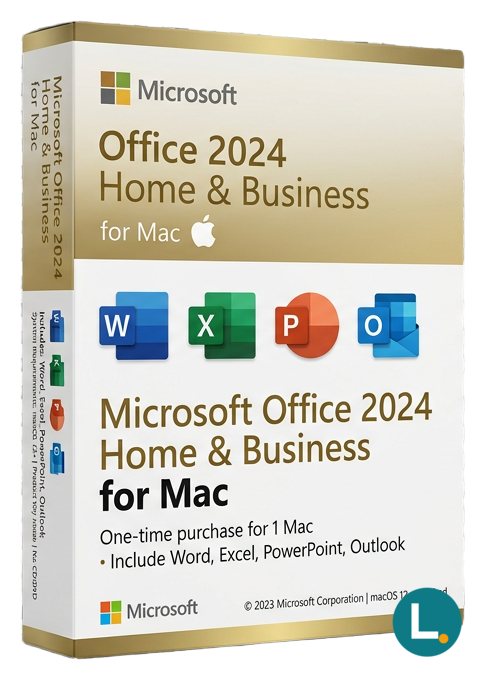
Buy-once Office 2024 Home & Business for Mac with Word, Excel, PowerPoint, Outlook, OneNote — native Apple silicon support — Lizensa clear EU shopper copy, digital delivery.
Licence key + activation guide for your OS language. PDF VAT invoice attached.
Every key is checked against the publisher’s activation servers before we send it.
Unused keys can be returned within 14 days under EU consumer law (Directive 2011/83/EU).
# Microsoft Office 2024 Home & Business for Mac — a calm, one-off licence for real Mac workflows
## Hook
Your accountant lives in Excel, your proposals live in Word, your pitch decks live in PowerPoint, and the inbox that pays the invoices lives in Outlook. On a Mac, that combination is extremely common for EU freelancers, family-run firms, clinics, creative studios and remote-first teams who want native Apple performance without renting the entire Microsoft cloud stack every month. **Microsoft Office 2024 Home & Business for Mac** is built around that reality: a perpetual desktop suite tuned for macOS, delivered digitally with documentation you can file beside your other business records. Lizensa focuses on clarity for shoppers who read EU consumer law pages at midnight—invoice traceability, sober activation guidance, EU-facing support, and a **365-day activation assurance** when you follow the instructions bundled with your order.
This listing is **not** an automatically renewing subscription dressed up as simplicity. It is **not** Microsoft Teams telephony, Exchange Online mailboxes, SharePoint governance packs, Defender for Endpoint rollout kits or Copilot seats bundled into a tenant admin console you will never open. Treat any narrowing language in your delivery email—device count, redemption route, language pack expectations—as binding alongside the storefront title. If you truly only need Word, Excel, PowerPoint and OneNote without Outlook, the lighter bundle is often a better fit; compare [Microsoft Office 2024 Home & Student](/products/microsoft-office-2024-home-student) before you pay for mail features you will disable anyway.
Mac buyers frequently juggle **three anxieties**: silicon compatibility, coexistence with Apple productivity habits, and licence hygiene for GDPR audits. Office 2024 Home & Business for Mac is positioned as the edition that keeps Outlook in the box while staying respectful of how SMEs actually buy software—one invoice, one lifecycle decision, no surprise renewal mails unless you separately adopt subscription services elsewhere. Lizensa keeps explanations anchored to what everyday buyers can verify themselves: supported macOS builds, activation artefacts they can screenshot, and sober comparisons with neighbouring SKUs instead of hype-laden cross-sells.
## What you receive
You receive the **Home & Business** composition for **Mac**: core productivity apps aligned with how EU households and lean businesses ship documents—typically **Word**, **Excel**, **PowerPoint**, **Outlook** and **OneNote**, engineered for modern macOS builds and **Apple silicon** performance characteristics where applicable. You receive **digital delivery** after checkout rather than plastic shrink-wrap; Lizensa emphasises storing delivery mail, invoice PDFs and activation confirmations together so finance and IT share one narrative during hardware refreshes.
What you should **not** expect inside this SKU unless delivery documentation explicitly promises otherwise: database tooling such as **Access**, desktop publishing via **Publisher**, Windows-only installers, Skype-era bundles, volume MAK/KMS narratives, or ambiguous “install everywhere” language. If your procurement template assumes Access for legacy macros, pivot towards a Windows-focused Professional-tier listing instead of forcing Mac SKUs into compliance spreadsheets they were never meant to fill.
Because Office interacts with external services—Microsoft accounts, IMAP/SMTP hosts, cloud storage hyperlinks inside documents—think early about **records management**. Decide where DOCX masters live, how versioned PDFs leave the building, and how you honour subject access requests without scattering attachments across personal iCloud accounts.
## What is new in the Office 2024 generation on Mac
Office 2024 refines the perpetual channel that Apple-centric buyers still ask for after years of subscription marketing. Interface polish, performance work on Apple hardware, refreshed defaults inside authoring apps and collaboration habits that respect macOS conventions matter more to everyday SME owners than bullet lists of rarely toggled toggles. You still install locally, patch through supported channels, and keep working when aeroplane mode wins—which matters for consultants reviewing sensitivity-labelled spreadsheets in hotel lobbies.
Cloud-hosted suites deserve credit for central administration, yet plenty of EU buyers dislike tying departmental continuity to renewal calendars. A perpetual Mac licence pairs naturally with **predictable depreciation**: finance amortises once, operations schedules refreshes around hardware cadence, and legal keeps activation artefacts aligned with asset registers.
Compatibility intersects politics: some counterparties mandate DOCX features introduced only in newer generations; others freeze templates built five years ago. Validate critical templates **before** purchase—Lizensa would rather you discover a formatting mismatch during evaluation than during a regulator-facing submission week.
## System requirements
| Topic | Guidance | | --- | --- | | Operating system | Current supported **macOS** releases per Microsoft guidance for Office 2024 for Mac | | Processor | Apple silicon or Intel hardware consistent with Microsoft compatibility statements | | Memory | **4 GB RAM** minimum practical floor; **8 GB** recommended for multitasking Outlook plus large Excel models | | Disk space | Reserve several gigabytes for installers, local mail caches and update staging | | Display | Retina-capable layouts assumed for modern templates | | Internet | Required for download, activation and ongoing security updates | | Included apps | Word, Excel, PowerPoint, Outlook and OneNote as scoped for Home & Business on Mac | | Licensing shape | One-time purchase narrative for described scope—**no Microsoft 365 bundle** implied |
Administrator-level installation awareness still matters on managed Mac fleets; MDM deployments should read Lizensa delivery notes alongside internal security baselines.
## Comparison snapshot
| Option | Payment model | Strength | Typical buyer | | --- | --- | --- | --- | | Office 2024 Home & Student for Mac | One-time | Lower cost without Outlook | Students and households without mail workflows | | Office 2024 Home & Business for Mac | One-time | Outlook-inclusive simplicity | Freelancers and SMEs on macOS | | Office 2024 Standard for Mac | One-time | Different SKU footprint—compare templates before assuming parity | Organisations standardising on “Standard” naming | | Microsoft 365 Personal/Family | Subscription | Constant updates & cloud allocation | Buyers prioritising rental simplicity |
Cross-platform offices sometimes mirror SKUs: if colleagues standardised on the dual-platform bundle, review [Microsoft Office 2024 Home & Business](/products/microsoft-office-2024-home-business). Teams upgrading from older perpetual generations should skim [Microsoft Office 2021 Home & Business for Mac](/products/microsoft-office-2021-home-and-business-for-mac) for template deltas before migrating macros wholesale.
Need deeper stacks—Publisher-style workflows or Access-linked reporting—on Windows hardware instead? Professional-grade listings sit elsewhere in the same catalogue family under [Microsoft Office](/categories/office-2024).
## Installation and activation
EU shoppers deserve receipts they can defend: VAT IDs on invoices, reverse-charge explanations for B2B carts, and activation artefacts showing **who** redeemed **what** on **which** asset tag. Lizensa emails keys, redemption URLs or Microsoft-compatible activation checklists—read end-to-end before clicking because portals occasionally reorganise pages without drama in release notes.
1. Finish checkout and archive your Lizensa invoice. 2. Read delivery mail for edition, language, device wording and redemption cautions. 3. Confirm macOS build compatibility with IT policies (especially MDM-enforced versions). 4. Quit conflicting preview builds if instructed. 5. Download or redeem only through the supplied official-compatible route. 6. Install with credentials that match how you document software inventory. 7. Activate, launch Outlook against your approved mail topology, then regression-test one mission-critical Word template and one Excel model with external links. 8. Patch promptly and retain screenshots if anomalies surface—activation diagnostics accelerate support.
**Consumer notes:** Choosing immediate digital fulfilment can interact with **14-day withdrawal** rights once download or activation begins; statutory warranty rights remain where defects appear despite proper use. Lizensa processes personal data for fulfilment and support under GDPR-aligned practices—Polish customers should retain transparency paperwork alongside activation logs for **RODO** accountability chains.
Security hygiene extends beyond licensing: FileVault, MDM disk encryption policies, phishing-resistant mail routing for Outlook, and sensible PST or archive discipline prevent breaches that no licence SKU ever promised to solve alone.
## Frequently asked questions
### Is this a Microsoft 365 subscription? No. This storefront framing describes a **one-time purchased** Mac suite aligned with Home & Business scope—not an automatically billed Microsoft 365 tenant bundle.
### Does Home & Business for Mac include Access or Publisher? Typically **no**. Those applications historically skew Windows-centric; verify sibling listings if databases or Publisher workflows are mandatory.
### Can I install on both my MacBook and iMac? Only if your delivered licence scope explicitly allows multiple installs. Never infer roaming rights from marketing screenshots—trust delivery documentation.
### Will Outlook connect to Google Workspace or third-party IMAP? Outlook supports many providers, yet mailbox behaviour depends on IT policies, authentication schemes (OAuth vs legacy), and deliberate migration planning alongside your provider’s documentation.
### Is Apple silicon supported? Modern Office builds target Apple silicon performance paths when macOS requirements align—still verify against Microsoft compatibility bulletins before imaging fleets.
### Should I pick Home & Student instead? If Outlook adds zero value, [Microsoft Office 2024 Home & Student](/products/microsoft-office-2024-home-student) may reduce spend without sacrificing authoring apps—confirm bundle composition before checkout.
### What if activation fails? Collect invoice ID, delivery screenshots and exact error strings, then contact Lizensa support—the **365-day activation guarantee** applies when documented procedures were followed.
### Where do I browse neighbouring perpetual listings? Start under [Microsoft Office](/categories/office-2024) for sibling SKUs with comparable fulfilment patterns.
## Related products
- [Microsoft Office 2024 Home & Business](/products/microsoft-office-2024-home-business) - [Microsoft Office 2024 Home & Student](/products/microsoft-office-2024-home-student) - [Microsoft Office 2024 Standard for Mac](/products/microsoft-office-2024-standard-mac) - [Microsoft Office 2021 Home & Business for Mac](/products/microsoft-office-2021-home-and-business-for-mac) - [Microsoft Office category hub](/categories/office-2024)
Stripe / SEPA / iDEAL / Bancontact — every major EU payment method accepted.
We check your licence against the publisher’s activation servers in real time.
Licence + activation guide arrive in under 60 seconds. Average 43 seconds.
Follow the guide in your language. Done in under 2 minutes.
