Authorized by Microsoft · Audited monthly · 38,212 reviewsShips to UK + 27 EU countries · 41s median
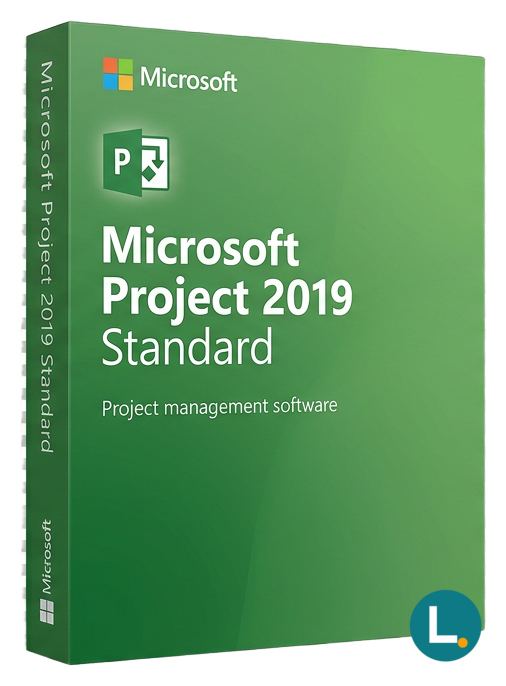
Perpetual Windows Project Standard 2019—Gantt, baselines, timelines. Lizensa digital delivery, EU-minded support, one-time licence (not Microsoft 365).
Licence key + activation guide for your OS language. PDF VAT invoice attached.
Every key is checked against the publisher’s activation servers before we send it.
Unused keys can be returned within 14 days under EU consumer law (Directive 2011/83/EU).
# Microsoft Project Standard 2019 on Windows: keep dates honest when life refuses to simplify
Renovations slip when the plumber can only start after inspection, but inspection depends on materials that were promised for "mid-month." Grant milestones wobble when the volunteer with the sign-off is also the one booked on a second build. Small manufacturers hold their breath when tooling downtime and customer due dates share the same calendar without a shared truth file. **Microsoft Project Standard 2019** is the **perpetual Windows desktop planner** for households, freelancers, and compact organisations that want **one authoritative `.mpp` schedule**, **one upfront purchase**, and **clear digital fulfilment** from Lizensa—not another cloud subscription whose invoice line nobody recognises at year-end.
Lizensa speaks to EU buyers who read product pages like checklists: **which application, which year, which edition, which machine, which activation path.** You deserve plain language about personal data, a help desk that understands consumer and SME realities, **invoice-friendly records** for your bookkeeper, and a **365-day activation guarantee** on the supplied route when you follow the instructions without improvising parallel installs. This article never blurs Project with Office suites, never implies Teams or SharePoint rights, and never dresses consumer scope as a datacentre volume programme.
If you already know that **Standard** omits the deeper **resource and cost layer** that **Professional** carries, compare **[Microsoft Project Professional 2019](/products/microsoft-project-2019-professional)** before paying. If partners have moved to newer perpetual baselines, open **[Microsoft Project Standard 2021](/products/microsoft-project-standard-2021)** or **[Microsoft Project Professional 2024](/products/microsoft-project-2024-professional)** once everyone agrees on file compatibility. When diagrams—not schedules—are your deliverable, explore **[Microsoft Visio Standard 2019](/products/microsoft-visio-standard-2019)** and the full **[Visio and Project category](/categories/visio)**.
## What you get
You receive digital delivery for **Microsoft Project Standard 2019** on **Windows** as a **one-time desktop licence** scoped to the description here and in your post-checkout email. Core capabilities include structured tasks and outlines, durations, dependencies with lag and lead, milestones, constraints when you truly need them, multiple calendars that respect holidays across regions, classic **Gantt** and **Timeline** storytelling, baselines that freeze "what we promised," progress tracking that survives scrutiny, and printable or exportable reporting when someone who never opens Project still demands a PDF.
Owners range from a sole trader sequencing subcontractors to a youth sports club coordinating fields and transport, from a boutique agency packaging client waves to an IT contractor documenting migration weekends. **Standard** puts clarity first: **one person often owns the authoritative plan file**, circulates controlled snapshots, and answers "what moved the end date?" without rebuilding a rainbow spreadsheet every Monday morning.
What you **do not** buy here: **Microsoft 365**, **Project for the web**, **Project Plan** subscription seats, **Exchange**, **Teams** telephony, **SharePoint** governance, **Entra ID** administration, **Copilot** entitlements, **MAK/KMS** volume estates, **LTSC** fleet agreements, **OEM** recovery partitions, or the legal fiction that keys roam across unlimited machines. Need Word, Excel, Outlook, and PowerPoint beside Project? Evaluate **[Microsoft Office 2019 Professional Plus](/products/microsoft-office-2019-professional-plus)** on a compatible channel instead of assuming overlap.
## What changed in the 2019 generation (and when staying put is smarter than chasing the newest box)
Project Standard **2019** refreshed the perennial desktop line for the Windows 10 era: cleaner visuals, more readable timelines, and file exchange that feels steadier when neighbours still use Office from the same vintage. It is not a marketing fireworks release; it is the **predictable workstation companion** when training PDFs, procurement templates, and customer mandates still say **"2019."** That matters more than abstract novelty when auditors want to match screenshots to reality.
Stay on **2019** when archived `.mpp` files, municipal tender wording, or an external PMO insists on the same generation. Move toward **2021** or **2024** when **every collaborator** who edits schedules has tested macros, enterprise calendars, and add-ins on the newer baseline—follow the links above rather than gambling on silent upgrades mid-contract. Subscription programmes solve identity-driven, browser-first collaboration; they are a **different** commercial animal from the perpetual desktop licence Lizensa lists here.
## System requirements
| Item | Practical guidance | | --- | --- | | Operating system | Windows 10 or Windows 11 builds compatible with Microsoft's installer for this generation | | Processor | Dual-core ~1.6 GHz or faster; more headroom helps dense schedules | | Memory | **4 GB RAM minimum**; **8 GB or more** when programmes exceed a few thousand lines | | Storage | Several gigabytes free for binaries, caches, and archived `.mpp` files | | Display | **1280 × 768** minimum; extra width eases Gantt plus entry table | | Networking | Internet for download, activation, and servicing | | Roles | Administrative rights for installation; standard user cannot always repair Click-to-Run conflicts |
Before install, inventory what already lives on the PC: old **Project trials**, mismatched **Office** branches, remote-desktop hosts acting as pseudo-servers, or gold images that bake in forbidden combinations. The Lizensa delivery message exists precisely to route you through the **authorised** redemption path for **this** SKU—search-engine installers masquerading as "faster mirrors" are a liability, not a shortcut.
## Comparison: who actually wins with Standard 2019 today?
| Path | Money model | Planning depth | Typical Lizensa buyer | | --- | --- | --- | --- | | **Project Standard 2019** | One-time perpetual | Core scheduling without Professional's resource engine | Buyers locked to a 2019 file and budget reality | | **Project Professional 2019** | One-time perpetual | Resource pools, deeper costing, richer variance | Teams that model people and money together | | **Project Standard / Professional 2021+** | One-time perpetual | Newer UI generation and lifecycle runway | Groups ready to validate newer `.mpp` behaviour | | **Microsoft 365 / Project Plan** | Recurring subscription | Tenant administration and browser experiences | Organisations that already standardised on cloud identity |
**Standard** wins when a single accountable planner keeps the master file and stakeholders mainly **read** snapshots. **Professional** earns its place when executives ask which craft is double-booked next fortnight or whether the burn baseline still matches supplier invoices—questions Standard answers only with heroic spreadsheet hacks. Lizensa keeps the catalogue honest: **edition, year, and channel** appear up front so EU shoppers are not decoding abbreviations after payment.
If procurement still references a named perpetual **2019** artefact, print the purchase ticket beside your internal change log so the next committee remembers *why* this SKU stayed on the table when subscriptions looked fashionable on paper.
## Install and activation: treat proof like part of the deliverable
1. Complete checkout with **accurate contact data**; your inbox becomes the paper trail. 2. Read Lizensa's **entire** fulfilment email before redeeming—duplicate purchases born from impatience are expensive confusion. 3. Confirm **Windows edition**, **system language**, **architecture**, and whether the device is personal or employer-managed. 4. Back up working `.mpp` files and annotate custom fields macros rely on—activation rarely breaks them, but panic does. 5. Uninstall conflicting **Project trials** or expired previews **when your guide requires it**. 6. Install only through the **Microsoft-compatible** route Lizensa documents; avoid repackaged ISO forums. 7. Activate online, install cumulative updates, open a **production-grade** schedule to validate calendars and views. 8. Store **order confirmation**, **activation screenshots**, **Windows build number**, and support correspondence beside your VAT records.
Consumer rules on **digital content** in the EU still matter: requesting instant delivery or beginning activation may narrow **withdrawal**, but **conformity guarantees** remain if the key fails or the product differs materially from the listing. Lizensa resolves cases faster when you send verbatim error strings—not paraphrases—and the step number where the flow stopped.
## Why buy on Lizensa
Lizensa is written for shoppers who refuse mystery SKUs at checkout and who need EU-minded answers when something interrupts activation halfway through provisioning. Pricing is presented honestly for consumers and SMEs, fulfilment arrives with human-readable entitlement language, invoices follow **GDPR-aligned** handling norms, and the **EU Omnibus** pricing discipline means historic references are substantive—not decorative footnotes tucked below the fold. When you escalate a technical issue, support wants error strings verbatim, timestamps with context, `winver` build lines and any corporate VPN overlay that rewrote TLS paths—they are not auditing your organisational chart, only making sure entitlement matches listing.
That posture matters especially for Project licences because mismatched entitlement stories often begin with improvised installer sources, phantom multi-device folklore or assumed Teams bundles that procurement never documented. Buying through Lizensa means the same product noun appears across emails, portals and spreadsheets, activating through the sanctioned Microsoft-aligned route spelled in your fulfilment pack, archiving screenshots like part of bookkeeping hygiene, pairing Project with **[Microsoft Office 2019 Professional Plus](/products/microsoft-office-2019-professional-plus)** where suites are deliberate—not accidental—and reserving **[Microsoft Project Professional 2019](/products/microsoft-project-2019-professional)** comparisons for the week leadership finally asks overloaded-role questions aloud.
Micro-business bookkeepers rejoice when SKU names line up with VAT lines, exporters can hand council officers a coherent paper trail without re-translating forum advice, IT contractors retain defensible artefacts for client sign-off, and volunteer treasurers keep grant panels confident that procurement followed an explicit paper path. The **365-day activation guarantee** exists because activation friction still happens when Windows updates, endpoint agents or stale credentials collide with redemption servers—follow instructions patiently, document each step, and Lizensa can respond with substance instead of guesswork.
## Frequently asked questions
### Is Microsoft Project Standard 2019 a subscription?
No. It is a **one-time Windows desktop licence** for **Standard 2019**, not Microsoft 365 or Project Online.
### How is Standard different from Professional in plain terms?
**Standard** delivers task networks, Gantt discipline, baselines, and timelines for many SME scenarios. **[Professional 2019](/products/microsoft-project-2019-professional)** adds structured **resource and cost** depth when schedules must model staffing and money simultaneously.
### Does this listing cover MAK, KMS, OEM, or LTSC deployments?
Assume **retail-style digital fulfilment** unless your instructions explicitly state a different programme. Do not merge this SKU with volume-activation infrastructure you operate yourself.
### Can I freely move the licence to a replacement PC?
Only within the **scope** Lizensa or your fulfilment documentation specifies. **Assume no informal transfer** unless written permission exists—motherboard swaps and reassigned laptops trigger real-world disputes.
### Will older `.mpp` files from 2016 or 2013 still open?
Often yes, yet customised fields, enterprise calendars, or embedded macros deserve a **test open** on a copy before you promise customers immovable dates.
### Does the licence include Excel, Outlook, Teams, or OneDrive?
No. Pair Project with **[Office 2019 Professional Plus](/products/microsoft-office-2019-professional-plus)** or another compatible suite purchased on its own terms.
### Is macOS supported?
This SKU targets **Windows desktops**. Different products apply to Apple hardware or browser-first programmes—read listings that **name** macOS if that is your environment.
### What evidence helps Lizensa troubleshoot activation errors?
Provide order ID, purchase timestamp, exact error text, build number, and screenshots of the failing step. The **365-day activation guarantee** applies when you follow the supplied pathway faithfully.
## Related products
- [Microsoft Project Professional 2019](/products/microsoft-project-2019-professional) - [Microsoft Project Standard 2021](/products/microsoft-project-standard-2021) - [Microsoft Project Professional 2024](/products/microsoft-project-2024-professional) - [Microsoft Visio Standard 2019](/products/microsoft-visio-standard-2019) - [Microsoft Office 2019 Professional Plus](/products/microsoft-office-2019-professional-plus) - [Visio and Project category](/categories/visio)
Stripe / SEPA / iDEAL / Bancontact — every major EU payment method accepted.
We check your licence against the publisher’s activation servers in real time.
Licence + activation guide arrive in under 60 seconds. Average 43 seconds.
Follow the guide in your language. Done in under 2 minutes.
