Authorized by Microsoft · Audited monthly · 38,212 reviewsShips to UK + 27 EU countries · 41s median
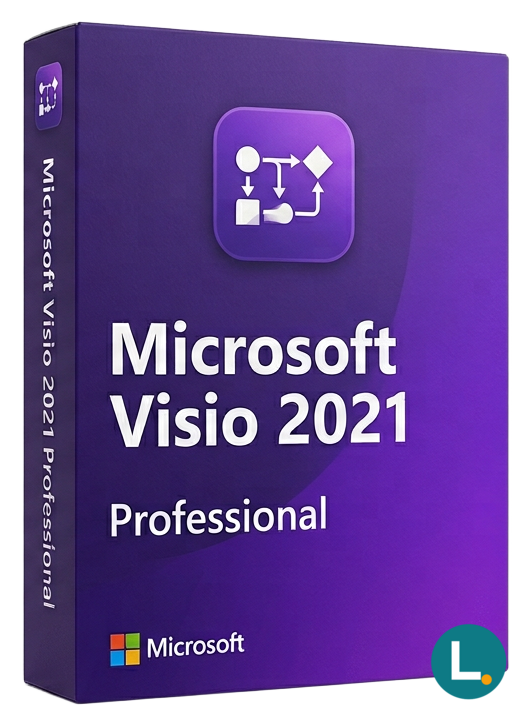
One-time Windows Visio Professional 2021 with advanced templates and data-linked diagrams—Lizensa digital delivery, EU support, no Microsoft 365 subscription.
Licence key + activation guide for your OS language. PDF VAT invoice attached.
Every key is checked against the publisher’s activation servers before we send it.
Unused keys can be returned within 14 days under EU consumer law (Directive 2011/83/EU).
# Microsoft Visio Professional 2021 — advanced diagrams without a subscription
Diagrams are where informal planning either becomes trustworthy—or falls apart. A network map that drifts out of date exposes support tickets. A process drawing that cannot be edited under time pressure becomes shelf-ware. **Microsoft Visio Professional 2021** is the Windows desktop edition for buyers who need **Professional** depth: richer templates, data-aware graphics where your workflow expects them, and disciplined connectors for flows you will print, archive or hand to a regulator. Lizensa offers it as a **one-time digital licence** with EU-customer support, invoicing you can retain, and activation guidance that respects how households and SMEs actually buy software.
Sketching in PowerPoint works until stakeholders ask for a master page set, consistent shape data, and reliable scaling across multi-page documents. Visio exists because those details stop being optional once diagrams become **living artefacts** inside procurement, coursework, facilities moves, GDPR-style process registers or club governance packs. Professional adds the toolkit Standard trims—without turning the purchase into an enterprise true-up exercise you never signed.
This text is for EU consumers, students buying personally, freelancers, charities and small businesses—not for anonymous bulk wholesalers. The product is **not** Visio Plan 2, **not** a Microsoft 365 bundle, **not** a MAK or KMS volume package, **not** OEM preload rights, **not** LTSC channel media, and **not** an implied entitlement to tenant-wide subscription administration. If your workplace assigns Visio through IT, speak to that owner before purchasing a perpetual key for a private PC.
Lizensa’s storefront copy is meant to be readable the night before a deadline: you should see which **year**, **edition** and **activation model** you are funding. Trust is practical here—invoices, clear delivery, help when activation misfires, and a **365-day activation guarantee** when you follow the instructions supplied. We do not blur retail language with volume or recovery media shortcuts.
Before you pay, compare neighbours in the catalogue: [Microsoft Visio Standard 2021](/products/microsoft-visio-standard-2021) if **Standard** suffices; [Microsoft Visio Professional 2024](/products/microsoft-visio-professional-2024) if you want the newest perpetual generation; [Microsoft Visio Professional 2019](/products/microsoft-visio-professional-2019) if your templates freeze on the 2019 line; [Microsoft Project Professional 2021](/products/microsoft-project-professional-2021) if Gantt timelines—not drawings—are the real deliverable; [Microsoft Office 2021 Professional Plus](/products/microsoft-office-2021-professional-plus) when you still need Word, Excel and PowerPoint in the same checkout window. The full assortment lives under [Microsoft Visio and Project category](/categories/visio).
## What you get
You receive **Visio Professional 2021** for **Windows**: the desktop application with the Professional template ecosystem, advanced diagram types many IT and compliance teams expect, BPMN- and UML-friendly workflows for stakeholder reviews, stronger floor-plan and facilities scenarios within Visio’s supported limits, and **data-linked** visuals when your sources live in spreadsheets or supported databases.
The transaction is a **one-time purchase** for the listed product scope. It is not a Lizensa subscription, not a stealth Microsoft 365 renewal, and not a bundle that quietly includes Teams meeting rooms, Exchange mailboxes, SharePoint sites, Defender bundles or Copilot seats. **Project**, **Publisher** and **Access** are separate SKUs; if your statement of work mixes diagrams **and** project schedules, split the procurement deliberately.
Digital delivery means an email with redemption or activation steps once fulfilment clears verification. Keep that trail with your **invoice**, device notes, and any support tickets—especially if you later rebuild the PC, swap disks, or involve an external accountant who asks for software proof. Where household budgets mix personal and micro-business use, attach a one-line memo to your records describing who uses the workstation and under which project the licence was purchased—small discipline that saves arguments during year-end.
Compliance-minded readers should treat diagrams like any controlled document: version them, avoid embedding secrets inside shape data, and store exports in the same retention policy as the source file. Lizensa supplies the licence transaction; your internal policies still govern how finished drawings circulate.
**Standard versus Professional:** choose **Professional** when missing features would force you to redraw work in another tool. Choose **Standard** when simpler org charts and flowcharts cover the use case at lower cost.
Facilities teams sometimes describe Visio as “structured storytelling with walls”: inventory spreadsheets, sensor exports or CMMS extracts stay truthful only while shapes remain linked to those tables instead of pasted screenshots that decay within weeks. Professional 2021 is where that metaphor stops embarrassing anyone—provided you respect Microsoft-supported data sources, rotate credentials when refreshes run overnight and document who owns each connector mapping before teammates inherit mysterious `.vsdx` lore.
European bookkeeping quirks deserve airtime too: VAT evidence, reverse-charge narratives or donor-funded grants rarely tolerate ambiguous software receipts. Lizensa aims for checkout wording that still reads cleanly beside statutory invoices—archive fulfilment mail next to PDF invoices before auditors arrive rather than relying on chat transcripts alone.
Collaboration hygiene matters for SMEs that email giant `.vsdx` bundles between laptops nobody inventories quarterly. Decide early whether trusted SharePoint libraries, consumer-grade OneDrive folders or locked SMB shares hold masters so parallel edits do not fork silently before board approvals ship.
## What is new — and why teams still anchor on 2021
The 2021 generation aligns with the broader Office 2021 desktop era: refreshed interface habits, accessibility improvements, and templates that match training materials authored mid-decade. Many EU organisations **voluntarily froze** on Professional 2021 because screenshots in internal playbooks, university briefs, tender annexes or accreditation packs reference that baseline.
“Older perpetual” is not automatically a security sin: pairing Visio with current Windows updates, sensible macro policy, and restrained side-loading keeps risk proportionate for household and SME use. Conversely, buying 2024 when nobody needs it burns margin—pick the year your collaborators can **validate** on.
If your auditors or clients already migrated to **Professional 2024**, mirror them unless you have a written carve-out. If everyone still says “send me the twenty twenty-one stencil set,” 2021 remains economically rational.
## System requirements
| Item | Detail | | --- | --- | | Operating system | Windows 10 or Windows 11 desktop | | Processor | About 1.6 GHz dual-core minimum; faster CPUs help huge canvases | | Memory | 4 GB RAM workable; 8 GB+ for dense diagrams | | Storage | ~4 GB free before updates and auxiliary templates | | Display | 1280 × 768 or higher | | Internet | Required for redemption, licensing checks and updates | | Included scope | Microsoft Visio **Professional 2021** desktop | | Licence model | One-time purchase style activation; **no** Microsoft 365 subscription included |
Run a conflict check first: stale trials, preview Office channels and mismatched Click-to-Run generations are common activation culprits. Your Lizensa email is authoritative—avoid random “full installer” links from search results. High-DPI laptops sometimes need a display scaling rehearsal before you commit board packs to print—open a template, zoom to reading width, and confirm connectors stay legible when exported to PDF.
## Comparison
If you still feel unsure at this point, slow down and list three deliverables you must ship in the next quarter: example diagrams, file formats, and who must open them without conversion drama. When that list names `.vsdx` under internal branding rules, data-linked inventory tables, or regulator-facing PDFs, Professional usually wins on predictability. When it only names a single org refresh or a classroom hand-in that permits simpler stencils, Standard can be the kinder invoice.
| Option | Model | Strength | Better fit | | --- | --- | --- | --- | | Visio Professional 2021 | One-time desktop | Mature Professional toolkit, widely referenced | Coursework, SMEs matching 2021 guides | | Visio Professional 2024 | One-time desktop | Newest perpetual generation | Buyers wanting longest forward-looking choice | | Visio Standard 2021 | One-time desktop | Lower cost core diagrams | Lighter visual specs | | Visio Plan 2 | Subscription | Web + desktop under managed identity | Enterprises with M365 admins |
Perpetual wins when budgets dislike recurring software rows. Subscriptions win when IT mandates pooled identity and roaming installs—this page does not claim those subscription outcomes.
## Install and activation
1. Finish checkout; archive the Lizensa acknowledgement. 2. Read the fulfilment email before clicking unknown download domains. 3. Confirm administrator rights, Defender allow-lists if relevant, and outbound HTTPS. 4. Remove conflicting Visio or Office trials when instructed. 5. Download or redeem only through the supplied Microsoft-compatible route. 6. Install Visio Professional 2021; complete activation prompts. 7. Apply pending updates; open representative `.vsdx` files and test PDF exports. 8. Store invoice PDF, redacted redemption screenshots, timestamps and device tags.
EU digital-content law still matters: immediate delivery or starting activation can shorten the **14-day** cooling-off window for distance contracts, but **conformity** rights remain if the product is not as described.
## FAQ
### Is Visio Professional 2021 the same as Microsoft 365 Visio?
**No.** This listing targets **perpetual** desktop Visio Professional 2021. Microsoft 365 routes involve different SKUs, identity context and administration—compare them explicitly before paying.
### Does Professional include every Office app?
**No.** Word, Excel, PowerPoint, Outlook and the rest require separate licences or suites such as [Microsoft Office 2021 Professional Plus](/products/microsoft-office-2021-professional-plus).
### Can I install on every PC I own?
**Only** within the entitlement your fulfilment message states. Assume **single primary workstation** unless clearly told otherwise.
### Is this OEM or recovery media?
**No.** Expect digital fulfilment oriented to retail-style activation—not factory preload rights.
### DWG interchange—can I trust it for production CAD?
Test in a sandbox first. Visio supports documented import/export scenarios within limits; never assume perfect CAD fidelity without a trial drawing.
### What if grader screenshots require Professional 2024?
Match their mandated version—see [Microsoft Visio Professional 2024](/products/microsoft-visio-professional-2024)—or risk losing marks on minor UI mismatches.
### Does this unlock Teams whiteboards?
**No.** Teams experiences need eligible Microsoft 365 subscriptions; this Visio licence does not silently grant them.
### Activation failed after hardware changes—what should I collect?
Order ID, exact error strings, Windows build, motherboard or disk swap notes, and prior Visio installs. Lizensa support uses that bundle within the communicated guarantee window.
## Related products
- [Microsoft Visio Standard 2021](/products/microsoft-visio-standard-2021) - [Microsoft Visio Professional 2024](/products/microsoft-visio-professional-2024) - [Microsoft Visio Professional 2019](/products/microsoft-visio-professional-2019) - [Microsoft Project Professional 2021](/products/microsoft-project-professional-2021) - [Microsoft Visio and Project category](/categories/visio)
Stripe / SEPA / iDEAL / Bancontact — every major EU payment method accepted.
We check your licence against the publisher’s activation servers in real time.
Licence + activation guide arrive in under 60 seconds. Average 43 seconds.
Follow the guide in your language. Done in under 2 minutes.
