Authorized by Microsoft · Audited monthly · 38,212 reviewsShips to UK + 27 EU countries · 41s median
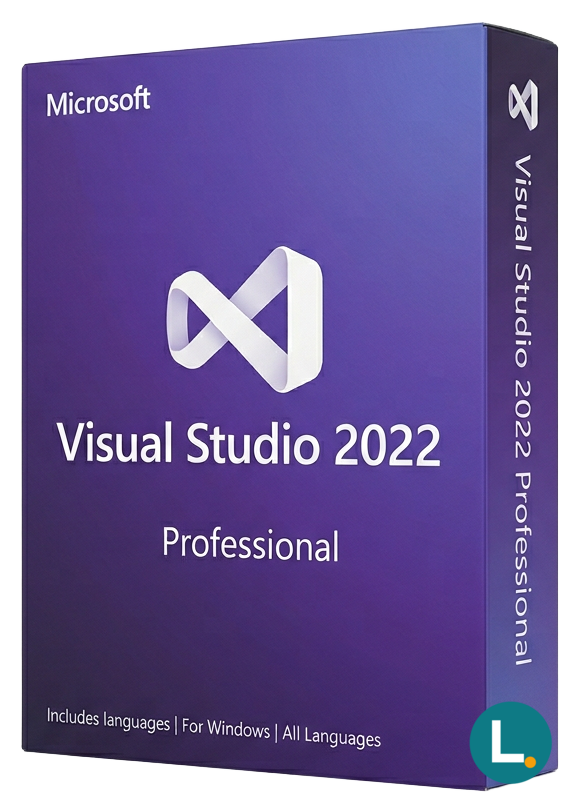
Visual Studio 2022 Professional for Windows at Lizensa: 64-bit IDE with Git, IntelliCode, Hot Reload, and modern .NET tooling — digital delivery with EU-facing developer support.
Licence key + activation guide for your OS language. PDF VAT invoice attached.
Every key is checked against the publisher’s activation servers before we send it.
Unused keys can be returned within 14 days under EU consumer law (Directive 2011/83/EU).
# Buy Visual Studio 2022 Professional—the IDE licence your EU studio can budget honestly
## Hook
**Visual Studio 2022 Professional** is the perpetual desktop IDE tier Microsoft positions between individual hobby installs and Enterprise-only diagnostics cabinets. For EU freelancers, small product teams, municipal software suppliers, or classroom instructors who still teach WinForms because students inherit brownfield factories, Professional is often the edition that matches reality: modern 64‑bit IDE, Git‑first workflows, .NET workloads you can ship, and enough refactoring discipline to stop accidental spaghetti—**without** pretending every shop needs the deepest architecture overlays on day one. Lizensa lists the product with consumer‑understandable language, digital delivery you can archive, GDPR‑conscious order handling, and pragmatic activation help.
This is **not** Microsoft 365, not a GitHub Copilot seat (unless you add one separately), not an Azure DevOps organisation licence, and not permission to clone the key across twenty contractor laptops “because builds are urgent.” Read the scope like an adult: one paid Professional entitlement for legitimate use on the machines the licence model allows, invoices stored where Finance expects them, and a support trail that survives staff turnover.
Before checkout, cross‑read **[Visual Studio 2022 Enterprise](/products/visual-studio-2022-enterprise)** if compliance paperwork literally says Enterprise, **[Visual Studio 2019 Professional](/products/visual-studio-2019-professional)** when a tender screenshot is frozen on the older shell, **[Visual Studio Professional 2022 (2 users)](/products/microsoft-visual-studio-professional-2022-2-users)** when procurement bundles two named engineers in one line item, and the **[Visual Studio category](/categories/visual-studio)** to see how editions scatter. Backend work often pairs with **[Microsoft SQL Server 2022 Standard](/products/microsoft-sql-server-2022-standard)** when you licence data tiers honestly on the same quote.
Think about *your week*, not marketing posters. If Monday is Azure Functions wire‑ups, Tuesday is WinUI polish, Wednesday is flaky integration tests against SOAP, and Friday is explaining delays to a city council member, Visual Studio Professional is simply the paid bench that keeps those days inside one window—instead of juggling six half‑remembered Community installs across relatives’ laptops. Lizensa is not here to promise “you will ship on time”; we **are** here so the licensing story matches the effort you already invest.
## What you get
You receive the Visual Studio 2022 **Professional** IDE feature set appropriate to that edition—code editing, debugging, profiling basics aligned with Professional, integrated Git tooling, and workload installers for .NET, desktop, web, and related stacks **as Microsoft documents them for this edition**. Enterprise exclusives—certain advanced diagnostics, deeper testing surfaces, architecture tooling beyond Professional’s envelope—remain Enterprise territory. If your build pipeline depends on a feature your colleague swears only appears in Enterprise screenshots, **verify before you pay**, not after the sprint review explodes.
Lizensa’s practical promise is clearer paperwork, EU‑friendly explanations, and guidance that respects offline lab machines, slow municipal VPNs, and the reality that not every buyer runs `winget` from a personal Microsoft account. Store the **email, invoice, product key mask, installation hash**, and machine hostname list the same way you store firewall change tickets—future you thanks present you.
Professional still expects you to bring discipline: sealed `appsettings.json` secrets, proper branching rules, and architectural decisions that survive employee churn. The splash screen does not teach SOLID; it gives you breakpoints, stacks, watch windows, and refactor previews so **your** standards become visible during code review instead of discovered in production trace logs.
## What's new
Visual Studio 2022 moved the IDE to **64‑bit**, which matters the moment your solution count stops being cute. Hot Reload, modern Git UX, and performance work reduce friction for day‑to‑day commits—especially when you live inside large XAML designers or multi‑project templates. IntelliCode hints nudge safer patterns without replacing code review. None of this removes the need for unit tests, guarded CI, or sensible secrets management; the IDE helps you move faster, not automatically safer.
Teams comparing years should be blunt: 2019 still appears in public sector printouts, while 2022 matches what many educators teach for *current* .NET. If procurement already chose 2022, buying the matching IDE generation avoids screenshot drift between syllabus and workstation.
When you pitch the upgrade internally, translate **Hot Reload** and **64‑bit** into business verbs: fewer minutes waiting for designers, fewer rebuilds before a demo, fewer embarrassed smiles when the projector cable fails mid‑gesture because someone reopened a massive solution on a travel laptop. Those minutes become days across a year.
## System requirements and planning
| Area | Guidance | | --- | --- | | OS | Use a supported Windows build; confirm ARM vs x64 if you buy new hardware. | | RAM | 16 GB is a realistic minimum for multi‑solution work; 32 GB helps virtualised test rigs. | | Disk | SSD strongly recommended; reserve space for workloads, emulators, and container images. | | Accounts | Decide whether Visual Studio sign‑in uses org Entra ID or a managed local workflow—document it. | | Extensions | Vet VSIX sources; extensions are the silent budget killer for stability. |
If you IT‑administer builds for others, capture **which workloads** you standardise (ASP.NET, Xamarin remnants, C++ toolchains) so reinstall scripts do not become archaeology. Add a short onboarding checklist for newcomers: required SDK pins in `global.json`, Docker Desktop versus self‑hosted runners, and whether symbols download overnight or only on demand. Those housekeeping bullets prevent “works on my machine” from becoming a permanent joke in retrospectives.
## Comparison
| SKU | Why pick it | | --- | --- | | **Visual Studio 2022 Professional (this listing)** | Honest middle tier for shipping teams that do not need Enterprise‑exclusive features daily | | **[VS 2022 Enterprise](/products/visual-studio-2022-enterprise)** | Required when policies/tools demand Enterprise diagnostics or architecture validation depth | | **[VS 2019 Professional](/products/visual-studio-2019-professional)** | Legacy compatibility when contracts ban newer UI timing | | **[VS Pro 2022 (2 users)](/products/microsoft-visual-studio-professional-2022-2-users)** | Packaged multi‑seat procurement | | **Visual Studio Community** | Free for qualifying opensource/academic scenarios—**not** interchangeable with commercial Professional policy |
Price pressure is real; licence mismatch penalties hurt more than an honest tier choice. When you document the decision for leadership, emphasise **supportability**: Professional keeps your engineers inside a SKU Microsoft still patches predictably, while avoiding Enterprise fees for features your team never opens from the menus.
## Install + activation
Lizensa sends fulfilment mail when validation completes. Read before you click *everything* in the Visual Studio Installer.
1. Capture screenshots of your existing workloads list **before** upgrading machines. 2. Download the bootstrapper from Microsoft’s official distribution path referenced in Lizensa instructions. 3. Select workloads deliberately; deselect fluff you will not compile in six months. 4. Apply the product key through the documented activation UI; keep proof of success. 5. For offline nodes, follow the supplied offline layout steps—do not improvise USB sneaker‑net without checksum verification. 6. Re‑pin signing certificates and NuGet feeds your CI expects. 7. Update group policy exclusions only after AV vendors bless the new paths. 8. Archive invoice + support threads with your asset tag database.
If you maintain **golden images**, bake Visual Studio with the same workload IDs every quarter; drifted images are why interns reinstall Windows twice. For mixed‑vendor teams, publish an internal wiki page listing which project templates must open *without* elevated admin, so nobody quietly disables UAC “just to get the demo working.” Lizensa cannot standardise your culture—we keep the entitlement defensible while you keep engineering humane.
EU digital content law still applies; consenting to immediate fulfilment can narrow withdrawal rights once the key is revealed—read Lizensa’s checkout copy.
## FAQ
### Is this a subscription? **No** for this perpetual Professional licence path—renewal is about Software Assurance only if you buy that separately through proper programmes.
### Does Professional include every Enterprise debugger? **No.** Enterprise retains exclusives; verify the feature list for your scenario.
### Can I install on Mac? Use Visual Studio for Mac or other tools where applicable—this Windows IDE licence does not magically become Xcode.
### Do I get Azure credits automatically? **No.** Azure consumption remains its own billing relationship.
### Can contractors share one key? Only within the **licence terms you actually purchased**; anonymous sharing is how audits become expensive stories.
### What about GitHub Copilot? Copilot Business or Individual is a **separate** entitlement unless your paperwork explicitly bundles it.
### Who should buy the 2‑user package instead? Purchase **[two‑seat SKU](/products/microsoft-visual-studio-professional-2022-2-users)** when finance expects paired engineers on one order line.
### Activation failed—what now? Send Lizensa the order ID, masked key, installer log snippet, and exact error string—no secrets pasted in public chats. Stay factual and calm; screenshots beat angry adjectives. If corporate proxies strip downloads, attach the proxy exemption ticket number so support can suggest an offline layout path without guesswork.
## Related products
Lizensa keeps related licensing one click away so procurement does not orphan Visual Studio from the operating system or database tier it touches. If finance asks why the IDE line sits next to a Windows desktop SKU, answer plainly: developers compile on an OS—and testers hit databases—that all require their own compliant entitlements.
- [Visual Studio 2022 Enterprise](/products/visual-studio-2022-enterprise) - [Visual Studio 2019 Professional](/products/visual-studio-2019-professional) - [Visual Studio Professional 2022 (2 users)](/products/microsoft-visual-studio-professional-2022-2-users) - [Microsoft SQL Server 2022 Standard](/products/microsoft-sql-server-2022-standard) - [Visual Studio category hub](/categories/visual-studio) - [Microsoft licensing category](/categories/microsoft) - [Windows 11 Professional](/products/windows-11-professional)
Stripe / SEPA / iDEAL / Bancontact — every major EU payment method accepted.
We check your licence against the publisher’s activation servers in real time.
Licence + activation guide arrive in under 60 seconds. Average 43 seconds.
Follow the guide in your language. Done in under 2 minutes.
