Authorized by Microsoft · Audited monthly · 38,212 reviewsShips to UK + 27 EU countries · 41s median
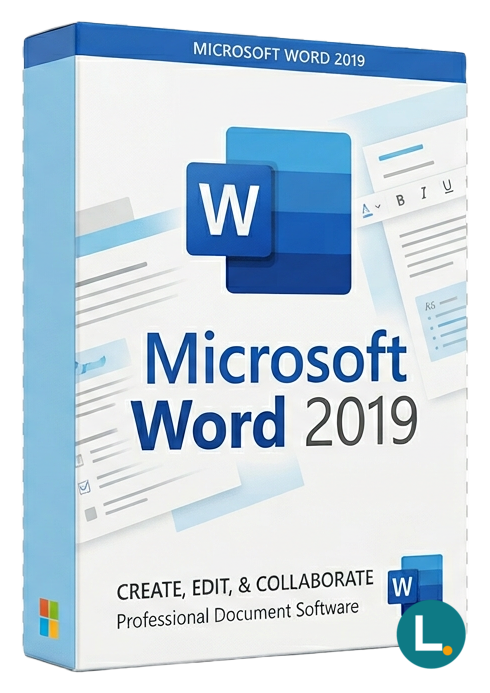
Standalone Word 2019 for Windows or Mac — Lizensa digital fulfilment, EU-minded support, honest perpetual scope.
Licence key + activation guide for your OS language. PDF VAT invoice attached.
Every key is checked against the publisher’s activation servers before we send it.
Unused keys can be returned within 14 days under EU consumer law (Directive 2011/83/EU).
# Microsoft Word 2019 — long documents, clean track changes, and receipts you can file
## Hook
When a tenancy agreement, medical ethics submission, or EU grant attachment still expects a **.docx** with coherent styles instead of a collage of browser tabs, **Microsoft Word 2019** remains the desktop writing tool families, freelancers, clinics, schools, and compact companies reach for first. This Lizensa page describes a **standalone Office 2019–generation Word licence** with **digital fulfilment** for **Windows or macOS** (confirm your basket matches the machine you actually use—platform mismatches cause expensive Tuesday afternoons, not “mystery discounts”).
Word is not a silent Microsoft 365 bundle, not an Azure mailbox, not a Teams room pack, not a volume MAK estate, and not permission to install on every device someone borrowed from the cupboard. It is **the word processor** you activate for the scope your post‑checkout email documents.
Paragraph-level honesty still matters for households: the student who lives on a MacBook Air, the parent who finalises insurance letters on a Windows tower, and the freelance editor who refuses subscription creep all deserve the same plain sentence—**this line item is Word only**—before anyone types a card number. SMEs deserve the same clarity when a department head insists “we already own Office” while the invoice trail only proves Word once sat on a retired laptop.
Seasonal peaks expose weak documentation faster than malware scans: thesis deadlines, winter grant renewals, builder warranty letters after a flood, or chamber-of-commerce replies when VAT numbers change. Owning a defensible `.docx` master—with styles that do not shatter when someone opens “final_FINAL” in a different viewer—often matters more than owning another clever SaaS bookmark you cannot export cleanly.
If you collaborate with counsel who still expects faxed signatures beside controlled Word drafts, predictable pagination and boring filenames beat slick web editors that reflow silently overnight.
Before you pay, line up honest neighbours: compare **[Microsoft Excel 2019](/products/microsoft-excel-2019)** if grids own your workflow, **[Microsoft Office 2019 Professional Plus](/products/microsoft-office-2019-professional-plus)** when you need Word **and** Outlook-class mail on the same activation story, **[Microsoft Word 2024](/products/microsoft-word-2024)** if procurement already standardised on the newest perpetual ribbon, **[Microsoft Publisher 2019](/products/microsoft-publisher-2019)** when printable layout is the real headache, and browse the **[standalone Office apps category](/categories/standalone-office-apps)** plus **[Office software category](/categories/office-2024)** for the wider shelf.
## Why buy on Lizensa
Buying standalone Word from anonymous marketplaces often ends in Omnibus surprises: the icon said “Word,” the redemption portal asked for a different channel, and finance suddenly learns “MAK” from a forum at 22:00. Lizensa keeps **tenant-specific copy** legible, sends emails you can archive beside VAT filings, and answers tickets with **order IDs** rather than folklore.
We respect **GDPR**-aligned handling of buyer data; Polish teams routinely mirror the same documentation into internal **RODO** files not because lawyers enjoy paper, but because serious SMEs rehearse inspections calmly. You get pragmatic activation guidance, twelve‑month support when you follow the supplied redemption path, and pricing context that is meant to be read—not skimmed past small grey footnotes.
## What you get
You receive **Microsoft Word 2019** as a **one-time perpetual-style application licence** through the commercial route Lizensa describes after fraud checks—not a rolling Microsoft 365 seat unless a different SKU explicitly says so.
**Core authoring** includes Focus Mode for distraction‑free drafting, Learning Tools for legibility, modern commenting and review panes, language tools, accessibility checks, equations, robust style and table behaviour, PDF round‑tripping where supported, and the .docx interoperability partners still request in procurement packets.
**Deliberately not bundled** here: Exchange Online postboxes, SharePoint storage quotas, OneDrive allowances, Teams meetings, Intune device policies, Defender bundles, Copilot credits, SQL Server, Windows itself, or Visio diagrams. If you need several desktop apps together, a suite is usually cheaper than stacking singles without reading the matrix.
Real-world authoring includes detail humans expect but rarely see in glossy bullets: bilingual headings that survive import into submission portals, numbered clauses counsel reorders without hand-typing “see Section 4(b),” accessible PDF exports inspectors accept, and printing estates where embedded fonts suddenly matter because a trustee refuses to read on screen. Word earns its keep when those moments arrive in clusters, not when someone merely opens a blank page once a quarter to type a thank-you note.
Typical Lizensa buyers include contract paralegals polishing annexes, clinic administrators formatting policy packs, instructors harmonising coursework templates, translation studios managing bilingual styles, rural accountants fighting comma decimals in mail‑merge, and household buyers upgrading a single trusted laptop before university intake.
## What's new (and why 2019 still shows up in sober baskets)
The **Office 2019** wave refined collaboration hygiene, dark‑mode‑friendly framing, Black theme on macOS where applicable, improved inking and morph transitions for people who still present from Word, Linked Table hygiene for cautious integrations, and smoother SVG handling for crisp diagrams in technical annexes. It remains a **fixed major release**—security and reliability updates arrive, but menus do not rotate weekly like subscription channels.
Organisations stay on **2019** for defensible reasons: accreditation PDFs literally screenshot the ribbon, insurer questionnaires cite that build, partner macros were tested once and must not drift mid‑audit, or budgets refuse another subscription row. If nobody forces that anchor, **[Microsoft Word 2024](/products/microsoft-word-2024)** may buy you a longer forward path before you revisit template QA—compare honestly before romanticising older badges.
## System requirements
| Area | Guidance | | --- | --- | | Operating system | Windows 10 / Windows 11 or supported macOS for Word 2019 perpetual installers | | Processor | 1.6 GHz or faster dual-core class CPU | | Memory | 4 GB RAM recommended; more helps long master documents | | Storage | About **4 GB** on Windows targets; **10 GB** on typical Mac installs—verify installer notes | | Display | 1280 × 768 or higher | | Internet | Required for download, activation, and supported updates | | Scope | Standalone Word 2019; verify platform in your fulfilment email |
Confirm macro policies, add-ins, printer drivers, PDF engines, dictation plug-ins, and corporate device rules **before** redeeming personally funded keys onto employer hardware.
## Comparison
| Option | Fits best | Pause if | | --- | --- | --- | | Word 2019 (this page) | Fixed-generation Word for .docx workflows | You need full suite + Outlook | | [Office 2019 Professional Plus](/products/microsoft-office-2019-professional-plus) | Word with Access, Excel, Outlook, PowerPoint, more | You only touch letters twice a year | | [Word 2024](/products/microsoft-word-2024) | Newest perpetual baseline | Training PDFs still say “2019” | | [Excel 2019](/products/microsoft-excel-2019) | Grids dominate budgets | You never write long narrative | | Microsoft 365 plans | Tenant-managed seats | You refuse subscription economics |
## Install + activation
1. Complete checkout and store the Lizensa confirmation where finance can find it. 2. Read the fulfilment email end‑to‑end—edition, platform, language, and redemption channel must match the machine. 3. Remove conflicting trials or duplicate Office builds **only** if instructions demand it; random uninstalls break shared stacks. 4. Download or redeem exclusively through links Lizensa supplies—never “driver pack” sites promising miracles. 5. Activate with the identity policies expect (personal vs work/school). Mixed tenants cause elegant misery. 6. Open a representative document—styles, macros, mail‑merge sources, and PDF exports should be rehearsed once. 7. Archive invoice PDF, fulfilment email, activation timestamp, and a short hardware note—SMEs lose more hours hunting PDFs than fixing genuine technical faults.
EU consumer rules still govern distance sales of digital content. Starting activation or consenting to immediate delivery can interact with withdrawal rights—read checkout notices carefully. Where defects appear, statutory remedies remain; Lizensa documents evidence paths so you are not arguing from memory.
Backups are not glamorous: export a clean PDF draft after activation, copy `.dotx` templates somewhere sensible, and note which stationery printer margins your council insists on—future-you rarely remembers paper quirks after eighteen caffeinated hours.
## FAQ
### Is Word 2019 a Microsoft 365 subscription? No. This narrative centres on a **one-time Word 2019 application purchase** in the described channel, not a recurring cloud seat.
### Does the licence include Excel, Outlook, or PowerPoint? No. Compare **[Microsoft Office 2019 Professional Plus](/products/microsoft-office-2019-professional-plus)** when you need multiple desktop apps together.
### Can I install everywhere in my household company? Only within the scope your fulfilment materials describe. Never infer multi-device rights from product names alone.
### Which platform does this SKU cover? Match checkout to **Windows** or **Mac** intentionally. Cross‑platform guesses waste weekends.
### Are cloud mailboxes or Teams included? No. Those are separate services requiring their own eligible plans.
### What if macros or add-ins break after install? Test a pilot machine first; capture build numbers and verbatim errors before opening a Lizensa ticket with your order ID.
### Should I choose Word 2024 instead? If templates and partners already validated **[Word 2024](/products/microsoft-word-2024)**, preferring the newer perpetual line reduces future surprise—compare before paying twice.
### Activation failed—what should I send support? Send the **exact** error string, OS build, language pack story, and the step where the process stopped. Redact anything sensitive, but avoid vague screenshots without context.
## Related products
- [Microsoft Excel 2019](/products/microsoft-excel-2019) - [Microsoft Office 2019 Professional Plus](/products/microsoft-office-2019-professional-plus) - [Microsoft Word 2024](/products/microsoft-word-2024) - [Microsoft Publisher 2019](/products/microsoft-publisher-2019) - [Standalone Office apps category](/categories/standalone-office-apps) - [Office software category](/categories/office-2024)
Stripe / SEPA / iDEAL / Bancontact — every major EU payment method accepted.
We check your licence against the publisher’s activation servers in real time.
Licence + activation guide arrive in under 60 seconds. Average 43 seconds.
Follow the guide in your language. Done in under 2 minutes.
