Authorized by Microsoft · Audited monthly · 38,212 reviewsShips to UK + 27 EU countries · 41s median
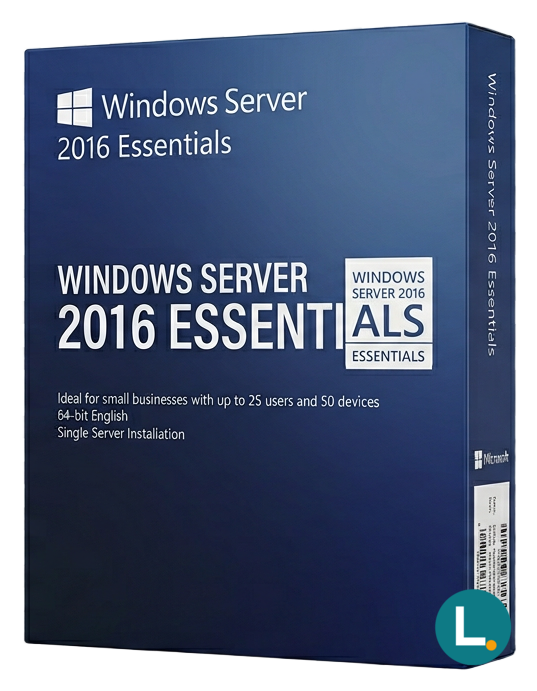
Perpetual Windows Server 2016 Essentials when vendors still require Server 2016—Essentials corridor with simpler CAL than Standard; Lizensa digital fulfilment.
Licence key + activation guide for your OS language. PDF VAT invoice attached.
Every key is checked against the publisher’s activation servers before we send it.
Unused keys can be returned within 14 days under EU consumer law (Directive 2011/83/EU).
# Windows Server 2016 Essentials — when stability and vendor certificates matter more than launch banners
## Hook
**Windows Server 2016 Essentials** is the Windows Server edition people buy when “newest marketing colour” matters less than whether the **practice management suite**, **manufacturing ODBC bridge**, or **charity accounting export** still lists **Server 2016** on the vendor’s support PDF. Essentials packages a **perpetual** Windows Server footprint for **compact organisations**: roughly **twenty-five users** and **fifty devices** on one manageable domain, with a **simpler CAL posture inside the Essentials envelope** than you would carry on **[Windows Server 2016 Standard](/products/windows-server-2016-standard)** where separate **Windows Server CAL** planning is everyday work. Lizensa speaks to **EU consumers**, **treasurers**, and **SME operators** who need straightforward language: what arrives digitally after checkout, which records accountants expect, and how **privacy** expectations around **GDPR** map to a normal software purchase—not a shadow wholesale fairy tale.
Associations with rotating volunteers should keep a **continuity card**: DNS forwarders, DHCP lease times, antivirus renewals, RAID battery swaps, and where **Lizensa receipts** live when treasurers change—small industry shops with serial devices should photograph **COM port** labels before the one engineer who remembers baud quirks takes holiday.
**Why shop with Lizensa:** readable product pages, invoices you can file, pragmatic activation notes, and multilingual fields that do not treat personal data as an afterthought.
Orient using the **[Windows Server category](/categories/windows-server)**. If **modern TLS defaults**, **SMB over QUIC pilots**, and **Secured-core server** stories justify moving forward for your risk committee, open **[Windows Server 2022 Essentials](/products/windows-server-2022-essentials)** and compare timelines honestly. If you need the “in-between” brochure year, **[Windows Server 2019 Essentials](/products/windows-server-2019-essentials)** belongs on the same review board. When many staff truly live inside **Remote Desktop Session Host** sessions, keep **[Windows Server 2016 RDS User CAL — 50](/products/windows-server-2016-rds-cal-50-user)** in the same planning folder—**RDS licensing remains its own workstream** alongside Essentials’ general access model. The moment calm growth becomes **Standard + CAL tables**, pivot toward **[Windows Server 2016 Standard](/products/windows-server-2016-standard)** with deliberate CAL coverage instead of silent spreadsheet drift.
Boring procurement truth: mixing “capital server licence” lines with **cloud experiments** on the same approval memo confuses finance; separate them early so quarterly reviews do not become archaeology.
Branches sometimes imagine one Essentials box “quietly equals headquarters sovereignty.” Replication and backup conversations still need honest words about **asymmetric bandwidth**, brittle VPN meshes, and restores that must work when construction cuts a fibre trench mid-quarter. Model **peak weeks**—seasonal festivals, internship intakes, fiscal year-end—before the **user/device ceiling** hardens into the wrong SKU story.
## What you get
Digital fulfilment through Lizensa usually means a **clear product-key path** plus instructions to obtain **Microsoft-consistent media** for **Windows Server 2016 Essentials**—not anonymous ISO blogs. Treat the purchase as a **perpetual Essentials licence** under the channel Microsoft documents for your supply route, not an implied bundle of **Azure** spend, **Microsoft 365** seats, or unrelated products unless your paperwork literally says otherwise.
Within its lane, Essentials still delivers meaningful small-business utility:
- **Assisted setup experiences** and dashboards that favour operators who are not full-time platform engineers—without erasing the need for **documentation** when things break at midnight. - **Identity and file services** suited to a single main site with disciplined endpoints—**Active Directory** is still real software with **recovery passwords** worth storing soberly. - **Client backup** thinking that matters when laptops travel to cafés, building sites, or home offices with unreliable discipline. - Integration touch points for **hybrid** scenarios where *your* subscriptions already exist—Lizensa does not silently upsell cloud seats here.
Manufacturing anecdotes still include **PLC bridges**, legacy **serial** devices, and weighing equipment quirks where undocumented service-account rotations become weekend surprises—licensing is sometimes the easier table row compared with behaviour diagrams that protect margin.
Partners inherit closets where predecessors “knew where the bodies were buried.” Before migration weekend, export **DNS zones**, **DHCP reservations**, **DFS roots**, forgotten **TLS bindings**, **WSUS** quirks, and scheduled tasks that silently touch payroll. Essentials does not ban complexity humans introduce; clarity does.
Printer chaos still ruins Fridays: driver packaging, spooler resiliency, and ACL hygiene on scan-to-share targets belong in runbooks even when Essentials “feels simple.” December certificate expiries and forgotten registrar contacts create January incidents; tie **technical** and **billing** ownership to names that survive staff rotation.
Keep your **evidence bundle** contemporary: invoice PDF, fulfilment email, activation proof, hostname list, hardware serials, quarterly user/device reviews, and **restore drill** notes insurers increasingly ask for by name.
## What’s new
In 2026, “what is new” for **Server 2016** is usually **risk language**, not feature glitter: insurers want **end-of-support conversations** documented, customers email **security questionnaires** with explicit baselines, and tabletop exercises ask whether offline backups actually restore. Essentials 2016 remains appropriate when **control discipline** and **vendor certificates** anchor the decision—not because nostalgia is cute. Pair the edition with **compensating controls** you can explain without blushing: MFA on privileged paths, segmented VLANs where warranted, patch lanes that survive busy weeks, and backup encryption that deserves the word “encryption.”
Cyber questionnaires often expose whether **privileged VPN access** still rides on one memorable password—no edition buys you mature identity choreography if process is absent.
When **modern cipher suites** or **hardware attestation** become non-negotiable, plan an **evidenced** move toward **[Windows Server 2022 Essentials](/products/windows-server-2022-essentials)** or **[Windows Server 2022 Standard](/products/windows-server-2022-standard-16-core)** with LOB vendor sign-off—not a weekend fantasy on a café napkin.
## System requirements
| Area | Guidance | | --- | --- | | Hardware | Size RAM for real databases and backup agents, not wizard happy-path minima. | | Storage | Separate OS, data, and backup landing zones; growth always arrives. | | Network | Fix DNS and time first—“mysterious slow AD” often traces to humble misconfiguration. | | Clients | Unsupported desktops become recurring audit trivia—plan replacements. | | Lifecycle | Unsupported OS combinations become **signed risk acceptance**, not a desk drawer secret. |
## Comparison
| If your reality looks like… | Essentials 2016 | Re-evaluate | | --- | --- | --- | | Vendor matrix still mandates this kernel generation | Comfortable | Silent hope without vendor letter | | Disciplined headcount inside Essentials limits | Comfortable | Seasonal device sprawl pretending to be “temporary” | | Heavy RDS session-host use | Risky without parallel planning | **[RDS User CAL — 50](/products/windows-server-2016-rds-cal-50-user)** honesty | | Questionnaires demand QUIC/SMB stories from 2022 | Pause | **[Windows Server 2022 Essentials](/products/windows-server-2022-essentials)** feasibility | | Honest scale beyond Essentials | Math says Standard | **[Windows Server 2016 Standard](/products/windows-server-2016-standard)** + CALs |
Use the table as **buying guidance**; Microsoft’s licence terms for your channel still govern usage. If you already know **Standard + CAL** is inevitable, stop flirting with Essentials—budget the honest stack before audit season.
## Install and activation
1. Inventory workloads honestly: RDS, VPN, VMs, backup tools, service accounts—no heroic assumptions. 2. Purchase on Lizensa; file **VAT** artefacts where your policy demands. 3. Read fulfilment email **before** burning one-way redemption flows some channels use. 4. Install from **vendor-correct** media paths; record build versions. 5. Patch deliberately; align antivirus exclusions with database maintenance windows instead of folklore. 6. Activate; store edition proof next to hardware receipts. 7. Schedule **quarterly restore rehearsals**; update the user/device table the same week finance asks uncomfortable growth questions.
Imaging discipline still matters: **generic Sysprep** templates with wrong locale or time zone create subtle Group Policy pain later—treat golden images like reviewed code, not scribbles on a USB stick labelled `GOOD`. Hypervisor hosts that pretend “we only have one VM” often sprout shadow guests—count them before Essentials posture in your documentation becomes a polite fiction.
EU **digital content** rules still matter: withdrawal can narrow after immediate performance you explicitly requested—retain correspondence demonstrating consent where counsel cares.
## FAQ
### Do we buy separate Windows Server CALs for normal Essentials user/device scope?
Typically **not** within Microsoft’s documented Essentials footprint for this edition—but if you wander outside that model or blend incompatible access patterns, stop guessing and verify **channel-specific** licence text.
### Is Essentials “just cheaper Standard”?
**No.** Compare **[Windows Server 2016 Standard](/products/windows-server-2016-standard)** and see **different virtualisation, RDS, and CAL gravity**.
### Remote access “quick wins”?
Patch, reduce exposure, authenticate strongly, retire “temporary” weak cryptography, and document what faces the internet.
### Why stay on 2016 when posters scream 2022?
Because **certified stacks**, budgets, partner contracts, and **disciplined controls** sometimes beat a rushed migration during payroll week.
### Virtualisation rumours from forums?
Trust **Microsoft’s matrices** for your licence path, not anonymous “unlimited Hyper‑V” posts.
### Is Microsoft 365 included?
**No.** Buy cloud seats where needed as their own SKU decisions.
### What should we archive beside the key?
Invoices, fulfilment mail, activation evidence, patch tickets, firewall change logs, restore-drill receipts, and **DSRM** passwords stored like adults.
### Activation escalation Friday at 22:00?
Capture precise errors, timestamps, hardware IDs; email Lizensa with **order ID**—data beats vibes and saves everyone's weekend. If WAN path changed the same afternoon, note **egress IP** and any **TLS inspection** boxes that might rewrite Microsoft licence traffic—those details shorten the ping-pong.
## Related products
- [Windows Server 2022 Essentials](/products/windows-server-2022-essentials) - [Windows Server 2019 Essentials](/products/windows-server-2019-essentials) - [Windows Server 2016 Standard](/products/windows-server-2016-standard) - [Windows Server 2016 RDS User CAL — 50](/products/windows-server-2016-rds-cal-50-user) - [Windows Server category](/categories/windows-server)
Stripe / SEPA / iDEAL / Bancontact — every major EU payment method accepted.
We check your licence against the publisher’s activation servers in real time.
Licence + activation guide arrive in under 60 seconds. Average 43 seconds.
Follow the guide in your language. Done in under 2 minutes.
